How to Write an iOS App Privacy Policy
Write an iOS app privacy policy Apple will accept: required sections, SDK disclosures, GDPR and CCPA notes, and how to link it in App Store Connect.
LetsDeployIt Team ·
A privacy-policy generator will print "we value your privacy" in under a minute. That page is not what gets an iOS build through review. The usual advice treats a readable policy and Apple's App Privacy checkboxes as the same document. They are not. The label is a short, standardized summary that can leave practices out. The policy has to name what the compiled binary really does. If those two disagree, or if either one ignores an SDK that ships in the archive, review has a concrete reason to stop the release.
I would not start with a template. Freeze the build you intend to submit, inventory every data flow in it, and treat label-to-policy consistency as the release gate.
Table of Contents
- What Apple Requires Before You Draft
- Write the Policy From the Shipped Binary
- Reconcile the Label With the Policy
- Add GDPR and CCPA Rights in Plain Language
- Paste-Ready Clause Wording
- Host the URL and Wire It Into the App
- Catch Mismatches and Make the Go or No-Go Call
<a id="what-apple-requires-before-you-draft"></a>
What Apple Requires Before You Draft
Under App Review Guideline 5.1.1, an iOS app privacy policy is a review obligation, not a nice-to-have. Every app must include a privacy-policy link in its App Store Connect metadata and keep that policy easy to open inside the app. Those are two separate checks. The store link is for someone who has not installed yet. The in-app link is for someone who already has the product on the phone.
Say a photo app puts a working policy on the product page, then hides the same page behind account creation. A reviewer who opens the app before signup never reaches it. The URL can be perfect and the submission still fails the in-app test.
The sentences have to name real practices. "We may collect information to improve the app" does not identify a category, a method, or a purpose.
| Clause | What the policy must name | Where it is checked |
|---|---|---|
| Data collected | Every category actually collected, including SDK and anonymous-looking usage data | Policy and App Privacy label |
| Collection methods | Forms, device APIs, SDKs, server logs, purchase flows | Policy body |
| Purposes | A distinct purpose for each use, not one catch-all sentence | Policy and label purpose |
| Third parties | Each partner and what they receive from integrated code | Sharing section of the policy |
| Retention and deletion | How long data is kept and how a user deletes it | Policy plus in-app account deletion |
| Consent and revocation | How consent is obtained and how it is withdrawn or a deletion request is made | Policy and ATT prompt when tracking |
| Availability | A working URL before download and a screen after install | App Store Connect and in-app |
<a id="consent-still-applies-when-you-call-the-data-anonymous"></a>
Consent still applies when you call the data anonymous
Apple requires consent for user or usage data even when a team first treats that data as anonymous. A session counter, an install identifier, or a crash breadcrumb is still collection. If you cannot point to the prompt, the settings toggle, or the account step that records consent, that row stays blank.
Practical rule: Walk the table and mark every empty cell before you write a sentence. Those blanks are the writing job.
An attractive policy that skips analytics, sign-in, ads, crash reporting, or account deletion will fight the App Privacy answers filed with the same build. Fill the blanks from the archive you will ship, not from a feature list in a design doc.
<a id="write-the-policy-from-the-shipped-binary"></a>
Write the Policy From the Shipped Binary
Boilerplate fails because it describes the app you meant to build. Apple's App Privacy Details guidance requires you to disclose relevant practices of third-party partners whose code is integrated into the app. The inventory starts in the production binary.
<a id="seven-steps-each-with-the-slip-it-prevents"></a>
Seven steps, each with the slip it prevents
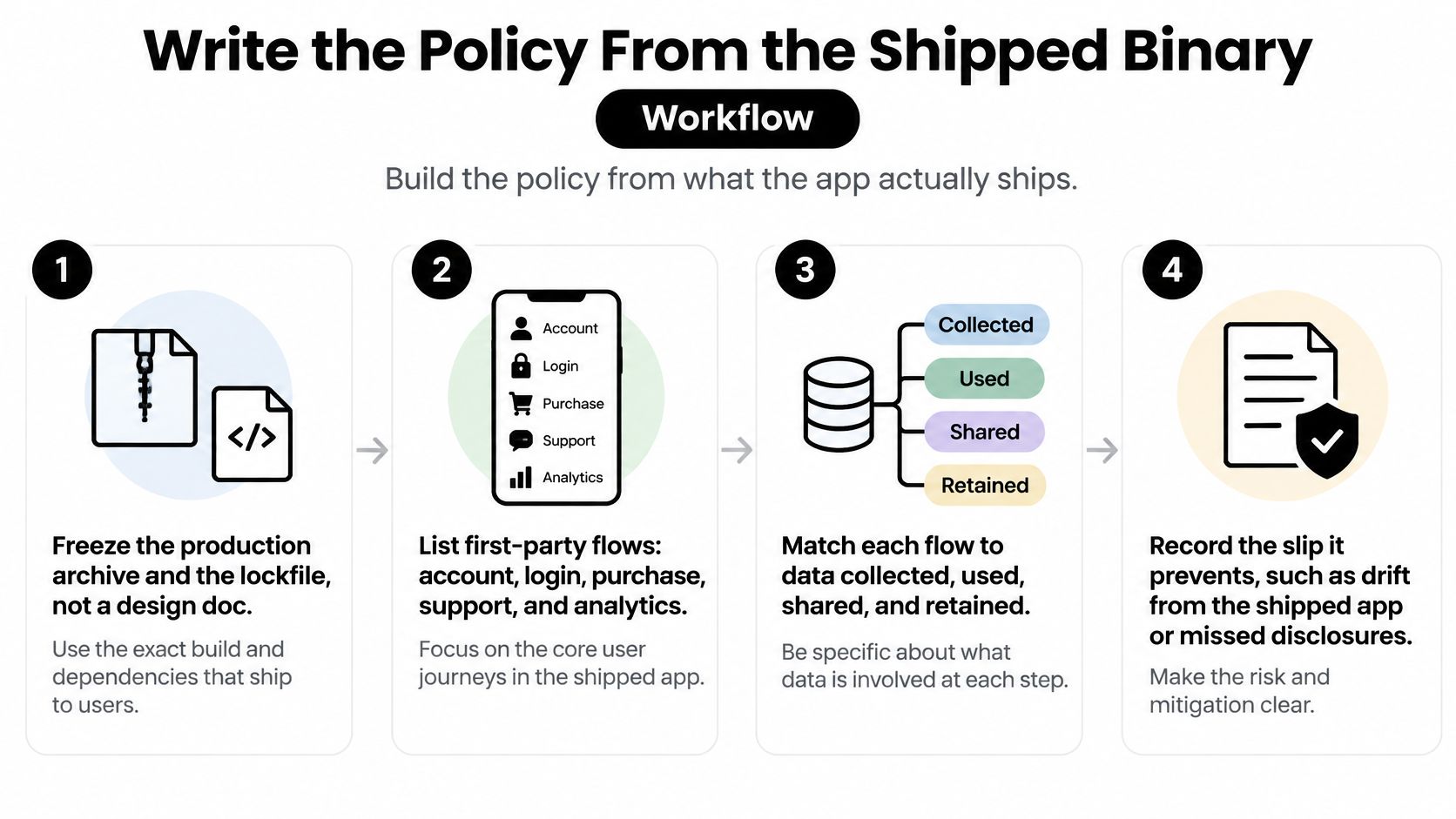
- Freeze the archive and the lockfile. Export the build you will upload and the dependency lock that produced it. A design doc drifts the moment someone adds Firebase, Sentry, or an ad SDK after the last spec review.
- List first-party flows. Account fields, photos, contacts, purchases, support messages, and server logs. Skipping server logs is the usual miss. The app "doesn't collect much" while the API stores IP address, user id, and timestamps.
- Open every third-party component. Crash reporters, analytics events, ad dependencies, auth providers, and embedded frameworks. Note identifiers they generate, not only the screens users see. IDFV, IDFA, and vendor install IDs belong on this list.
- Map each item to Apple's questions. Data category, purpose, whether it is collected, whether it is linked to identity, and whether it is tracking. Apple expects partner code in that map. "It's just a SDK" is not an exemption.
- Draft in that same order. What you collect, how you collect it, why, who receives it, how long you keep it, and how someone deletes it or withdraws consent. One purpose per use. Do not fold diagnostics, ads, and account recovery into a single sentence.
- Gate cross-company linkage. If any flow links app or device data across apps, companies, or sites for ads, measurement, or a data broker, add the App Tracking Transparency usage-description string, ask at the decision point, and branch the SDK on the authorization status. A prompt you ignore is still a rejection risk.
- Reconcile and keep a versioned note. Re-read the draft against the label answers. Record who decided each disclosure and which binary it matched. Without that note, the next SDK bump invalidates the page.
Two lines are worth writing in plain language rather than legal filler. For crash data: "Crash diagnostics, including stack traces and a device identifier, are sent to [vendor] to fix stability issues and are not used for advertising." For deletion: "Delete your account under Settings, Account, Delete account. If that screen is unavailable, email [address] and we will delete the account data we hold."
A fitness app that documents the workout log and never mentions the analytics device ID is the classic miss. The visible feature was honest. The SDK was not. Reviewers compare the binary, the label, and the page, and the quiet identifier is what they find.
<a id="reconcile-the-label-with-the-policy"></a>
Reconcile the Label With the Policy
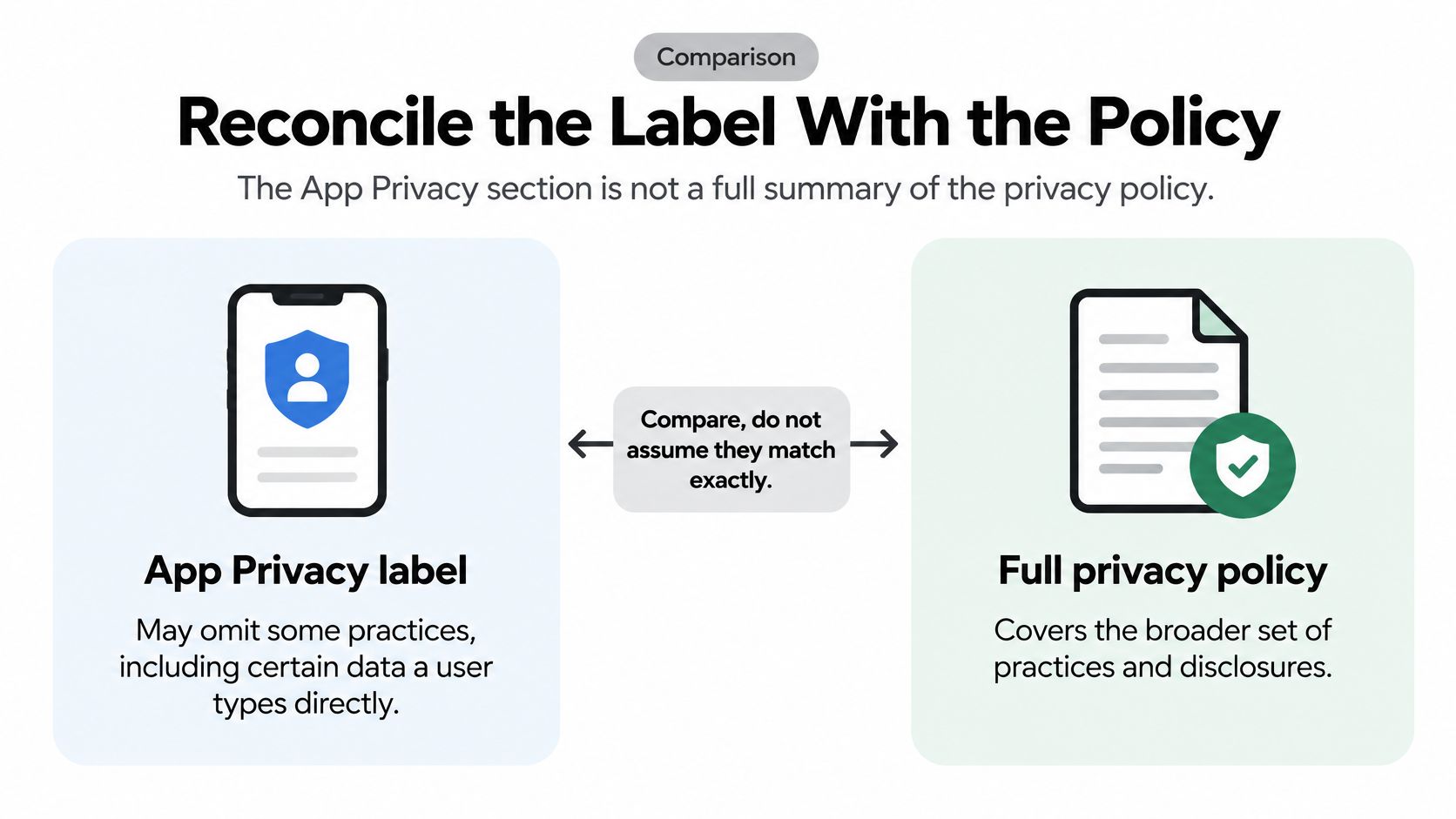
The App Privacy section is not a full summary of the privacy policy. Apple's explanation of App Privacy says the section may not describe all of a developer's practices, and it excludes some data users provide directly in the app under defined conditions. The policy still has to explain collection, sharing, retention, and deletion. A readable page that only restates the checkboxes hides the gap instead of closing it.
Tracking, in Apple's terms, means linking app or device data with other companies' data for targeted advertising, ad measurement, or sharing with a data broker. "Not used for tracking" can still mean the app collects the field, links it to an account, and sends it to a named vendor.
| Data element | Label can say | Policy still explains |
|---|---|---|
| Collected and linked to identity, not tracking | Account purpose, who stores it, retention, deletion path | |
| Precise location | Collected only while in use | When the prompt appears and how to turn it off |
| Device identifier | Collected, may be tracking if linked externally | Which SDK receives it and whether ATT gates that SDK |
| Diagnostics | Collected, usually not tracking | Crash vendor, fields sent, and that ads are out of scope |
| Photos | Collected if the user picks them | On-device versus upload, and how to remove a file |
| Contacts | Collected only if the user grants access | The feature that needs them and whether they leave the device |
| Purchase history | Collected and linked to identity | StoreKit or payments partner, receipts, and refund handling |
| Analytics or ad identifier | Tracking if joined to outside data | The product, the purpose, and the deny-path behavior |
<a id="what-does-not-track-still-allows"></a>
What "does not track" still allows
A crash SDK can receive stack traces and a device ID, be named in the policy, and still not be tracking if that data is not linked for ads or brokers. The label can read "Diagnostics, not used for tracking." The policy still owes the vendor name, the fields, the retention window, and the fact that advertising is out of scope.
Photos and contacts are the rows people under-explain. The label can say collection happens only when the user picks a file or grants access. The policy should say whether the file stays on device, whether a thumbnail is uploaded, and how to remove it. Contacts used for an on-device invite picker are a different practice from contacts uploaded to a server.
Purchase history linked to an Apple ID or a payments partner is collection even when you never run ads. Name StoreKit or the payments vendor, what you keep from the receipt, and how refunds are handled.
A "Not Used for Tracking" answer does not mean the partner receives nothing. It means you are claiming that partner does not join the data for ads, measurement, or a data broker.
A configured ad SDK that joins app data with an outside dataset is tracking and needs authorization. If the user denies the prompt, that SDK should not receive the identifier. Add one sentence wherever the label and the policy diverge, so nobody is left thinking the checkbox is the whole story. The label is shown to people worldwide. The policy is where you explain vendor processing that is not cross-app tracking, including user-typed data the label may omit.
<a id="add-gdpr-and-ccpa-rights-in-plain-language"></a>
Add GDPR and CCPA Rights in Plain Language
Treat GDPR and CCPA as another block in the same policy, not a second URL. This is practical drafting for a launch, not a law-firm opinion. Counsel still owns edge cases, cross-border contracts, and whether your revenue or volume thresholds trigger a statute.
<a id="gdpr-block-you-can-adapt"></a>
GDPR block you can adapt
Name the controller and a contact email in the first lines of the rights section. For each purpose you already listed, state a lawful basis in ordinary words. Contract fits account creation and the features the person paid for. Consent fits optional analytics or tracking. Use legitimate interests only where you can explain the balance, typically security logging, not ads.
Also name:
- Recipients. Categories of vendors, matching the partners already in the sharing section.
- Transfers. One sentence on whether data leaves the user's region and the safeguard you rely on, such as standard contractual clauses.
- Retention. How long each category is kept, tied to the durations you can enforce.
- Rights. Access, correction, deletion, restriction, objection, and portability, plus the right to complain to a supervisory authority.
- How to use them. A settings path or an email, and what you will send back.
If the app is not directed at children and you do not knowingly collect their data, say that in one sentence. If you do, say so and describe the extra controls. Do not paste a children's clause you cannot operate. Account deletion is part of this block. A policy that promises erasure and an app that cannot complete it is a common rejection. The steps in your account deletion rejection guide should match the sentence you publish.
<a id="ccpa-and-cpra-in-the-same-page"></a>
CCPA and CPRA in the same page
State whether personal information is sold or shared for cross-context advertising. A "not tracking" label does not answer a sale or share question. Those are different tests. If you sell or share, add a Do Not Sell or Share route in Settings. List the categories collected in the last 12 months, and state the rights to know, delete, and correct. Pick a response window your support queue can meet, and write that window, not a fantasy "within 24 hours" you will miss.
For a global app, I would keep one English policy, a short rights block, and the same URL, unless the legal entity differs by region. A second policy that nobody updates is worse than one page that names the controller, the bases, and the buttons.
<a id="paste-ready-clause-wording"></a>
Paste-Ready Clause Wording
These sentences cover the clauses teams leave blank. Replace every placeholder with the vendor, category, and settings path from the binary, then delete any line that does not match what you ship.
Label divergence. "Our App Privacy answers describe the data collected through the app itself. This policy also covers the analytics and crash-reporting partners listed below, and describes their processing in full."
Tracking gate. "We do not track you across other companies' apps or websites unless you allow tracking when prompted. If you decline, our advertising partner receives no device identifier from the app."
Consent. "Optional analytics runs only after you accept the consent banner, and you can withdraw consent at any time under Settings, Privacy."
Lawful basis. "We process account data under contract and optional analytics under your consent. We rely on legitimate interests only for security logging, which we balance against your rights."
Sale or share. "We do not sell or share personal information for cross-context advertising. If that changes, we will show a Do Not Sell or Share link in Settings before the change takes effect."
Read each line against the lockfile before you publish. If the ad SDK still initializes on a denied prompt, the tracking-gate sentence is false. If Settings, Privacy does not exist, the consent sentence sends people to a dead end. A clause you cannot demonstrate on a device should not ship.
<a id="host-the-url-and-wire-it-into-the-app"></a>
Host the URL and Wire It Into the App
Publishing is its own release task. A perfect draft on a laptop does not satisfy review.
<a id="pre-submit-checks-on-a-real-device"></a>
Pre-submit checks on a real device
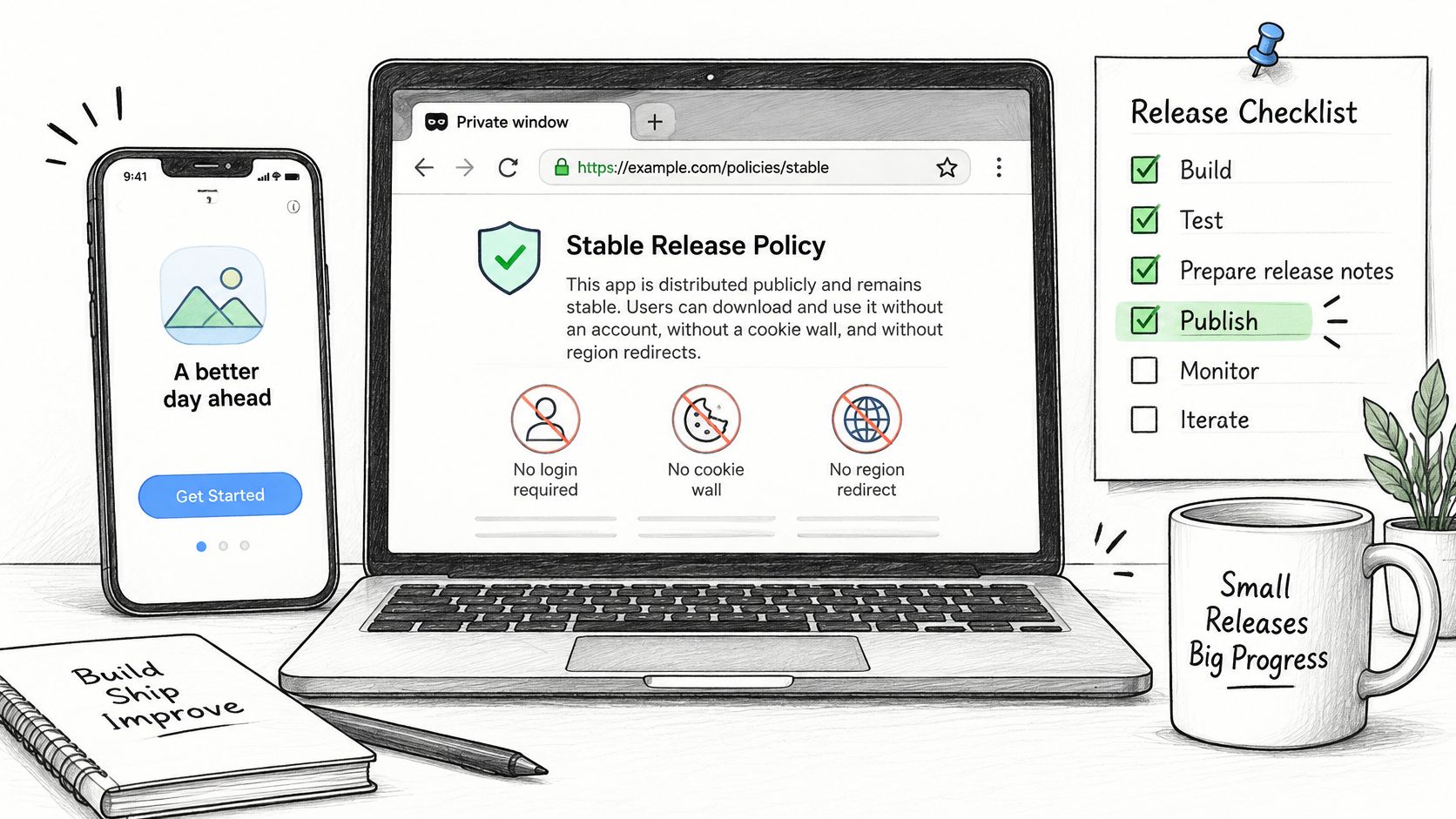
- Host on HTTPS at a stable path. HTML or PDF is fine. The page must not require login, sit behind a cookie wall, or redirect by region. A private Notion doc fails the moment the reviewer is signed out.
- Open it cold. Use a private browser window and a phone on cellular. If either one lands on a login or a 404, fix the host before you touch App Store Connect.
- Paste that exact URL into the Privacy Policy field. The field is mandatory for iOS apps. Do not "fix it after approval."
- Add an in-app row that works before signup. Settings, or the login footer, should deep-link the same URL. Someone who has not created an account still needs to read it.
- Put account deletion beside that link when the app creates accounts. The policy must describe the same taps the screen performs.
- Bump a visible date on every SDK or analytics change. Keep the old URL or an archive, and update the App Privacy answers in the same release. A policy that moved in git but not on the URL reviewers fetch is the same as not updating it.
- Install the archive you will ship. Tap the link. Confirm the live page matches the version named in the build.
Three patterns break this constantly. A Notion page left on private. A marketing-site path that 404s after a redesign. A policy edited in the repo while App Store Connect still points at last quarter's file.
Store one line next to the binary: policy version, URL, label answers, and the date you checked them. If you would rather not own hosting and the store pass yourself, an App Store submission service can take that same URL, the label answers, and the reviewer notes in one submission. You still own whether the sentences match the SDKs.
<a id="catch-mismatches-and-make-the-go-or-no-go-call"></a>
Catch Mismatches and Make the Go or No-Go Call
A readable privacy policy is only half the release gate. Apple's App Privacy label summarizes collection; your policy also needs to explain retention and deletion. Both must describe the binary you submit.
In the ATLAS study of App Store apps, 40.3% had an easily accessible privacy policy, 29.6% had both an accessible policy and a privacy label, and 88.0% of apps with both showed at least one possible discrepancy between the text and the label. Treat reconciliation as release QA.
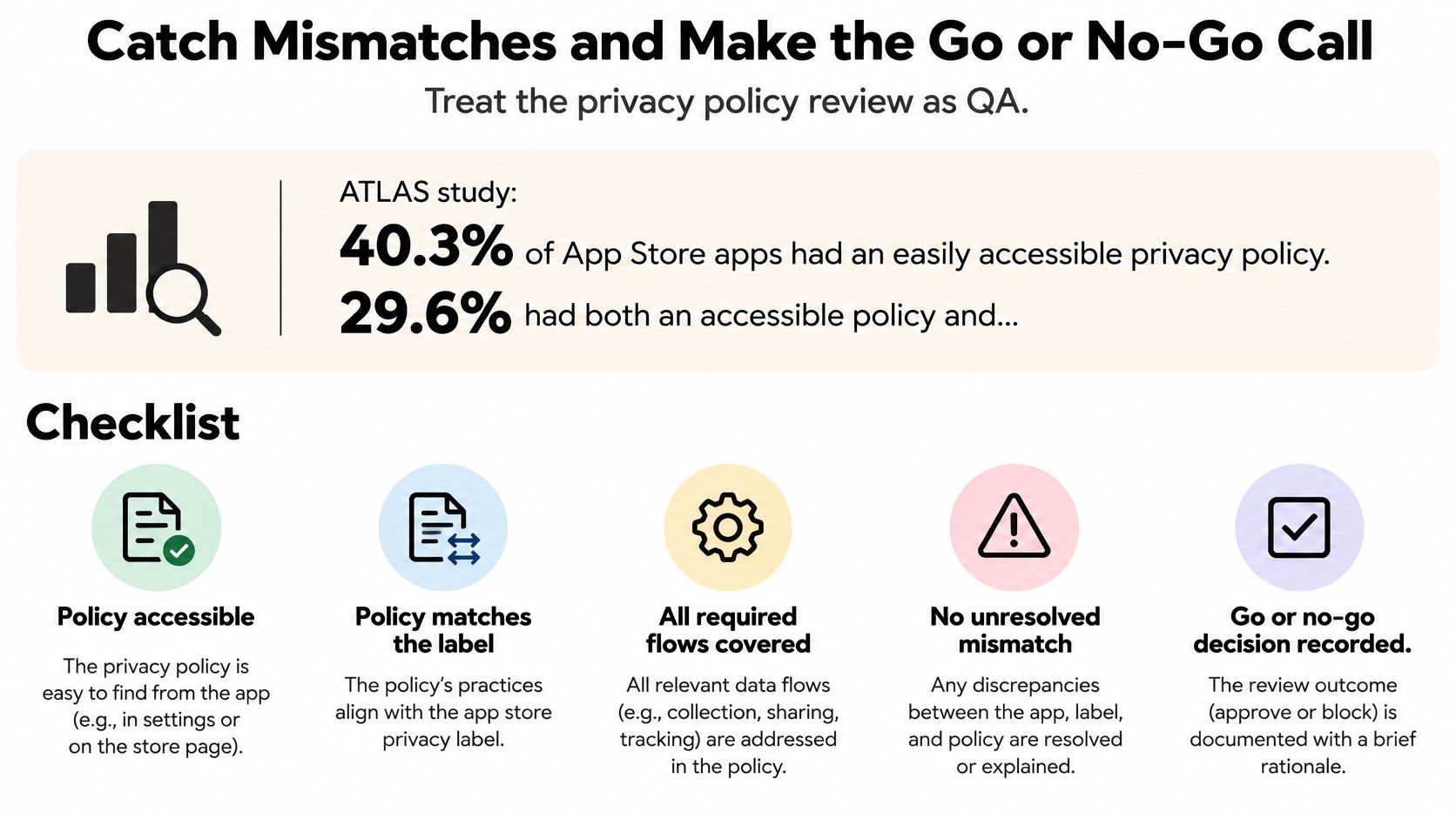
Build a claim matrix with one row per data element: email, precise location, device identifier, diagnostics, photos, contacts, and purchase history. Use columns for collection, identity linkage, advertising or tracking use, retention, deletion mechanism, SDK owner, policy section, and App Privacy answer.
Start with the lockfile and shipped binary, then check network captures during onboarding, login, permission prompts, checkout, background launch, and account deletion. Visible features alone will miss SDK collection. If a partner collects data, disclose it unless Apple's optional-disclosure conditions apply. A text classifier can flag possible mismatches, but a person must resolve ambiguous purposes before submission.
| Pitfall | Why it fails | Fix |
|---|---|---|
| Analytics enabled after the label was saved | The label no longer describes the binary | Re-answer App Privacy for the release containing the change |
| Collection named, retention omitted | The policy leaves storage duration and deletion unexplained | State the retention duration and deletion path |
| “No Tracking” while an ad SDK links data for tracking | The answer conflicts with the SDK's behavior | Gate tracking with ATT and correct the label, or remove the tracking behavior |
| URL works in a desktop browser only | The policy is inaccessible from the app | Use a public HTTPS URL and a working in-app link |
| Only visible features are documented | SDK identifiers and diagnostics remain unaccounted for | Add matrix rows for each integrated partner's collection |
Hold the release if any matrix row is unresolved.
Make the final call against the build you will submit. Confirm that the live policy, its dated version, and the App Privacy answers agree with every SDK still in the binary. Deny tracking and confirm the ad SDK does not perform tracking; delete a test account and compare the result with the policy's deletion wording. A working link cannot compensate for a false sentence.
If privacy metadata has already caused a rejection, use App Store rejection help to address the mismatch before resubmitting the same answers.
LetsDeployIt prepares and hosts an iOS privacy policy and runs compliance checks as part of an end-to-end App Store submission for React Native and Expo apps. If you want the label-to-policy check run against the binary you will ship, visit LetsDeployIt and send the build you plan to submit.