App Store Guideline 4.2.6 App Generation Services Explained
App Store Guideline 4.2.6 app generation services rules explained: who may submit, why apps get rejected, and how to prepare a compliant submission.

An app built with a commercialized template or an app-generation service is rejected under App Store Guideline 4.2.6 unless the business that provides the app's content submits it directly, or the provider ships one shared aggregated app holding several clients' content. Those are the only two accepted routes, and every other detail of the rule follows from them.
So why do founders transfer a template-built app to their own developer account, submit it, and still land back in the rejection queue a week later? Because the guideline has two halves, and account ownership only answers one of them. The other half asks a harder question about what the reviewer sees when they open the build.
Table of Contents
- Who Can Submit an App Built With a Generation Service
- Where Submission Help Ends and Submitting for a Client Begins
- Proving an App Is More Than a Reskinned Template
- Common Rejection Scenarios and How to Fix Them
- How to Prepare a Compliant Submission Step by Step
- Choose Your Submission Route Before You Submit
<a id="who-can-submit-an-app-built-with-a-generation-service"></a>
Who Can Submit an App Built With a Generation Service
A yoga studio and the agency that assembled its app can both press "submit" in App Store Connect. Only one of those submissions satisfies Guideline 4.2.6, and the difference between them is whose legal identity stands behind the upload.
Apple introduced the rule on June 8, 2017, as GoodBarber's history of the guideline records, and the original wording was blunt: apps created from a commercialized template or app-generation service would be rejected, and non-compliant apps already on the store could be removed beginning January 1, 2018. For nonprofits, event organisers, franchises and small businesses running branded apps on a shared builder, that read as a deadline for their whole mobile strategy.
Later that year Apple revised the rule rather than deleting it. The text still in force in the App Store Review Guidelines keeps rejection as the default for template and generation-service apps, then adds the exception that defines the whole guideline: the app can be accepted when it is submitted directly by the provider of the app's content. The same revision named a second permitted model, a single aggregated app holding many clients' content, such as a restaurant finder or an event directory.
The shift is worth internalising. Before the revision, the compliance question was whether a service had helped build the app. After it, the question is whose content the app carries and whose name sits on the account that submits it.
<a id="the-three-routes-side-by-side"></a>
The three routes, side by side
| Route | Who submits | Accepted under 4.2.6 | Typical example |
|---|---|---|---|
| Content owner submits its own branded app | The business that provides the app's content, using its own Apple Developer account | Yes | A single-client branded app built on a template |
| Aggregated picker app | The provider, as one shared app holding multiple clients' content | Yes | A restaurant finder or event directory |
| Generation service submits on the client's behalf | The service's own account publishes the client's app | No, rejected | A client's branded app published from the builder's account |
Notice what the table never mentions: React Native, Expo, Flutter, no-code builders, automated build pipelines. The rule cares about who publishes, regardless of which tool compiled the binary, so an Expo app submitted from the client's own account sits on the same footing as a hand-coded one. A hand-written app published from an account that does not belong to the content provider fails just as fast as a template does.
The same test applies to apps built today with AI builders and template services, and it leaves room for help. A launch service can prepare the build, the listing and the compliance paperwork inside the client's own account while the business keeps ownership and the final submit action. If you are still deciding how to staff that work, the comparison of DIY, freelancer and agency submission routes maps out what each option hands over and what it keeps with you.
<a id="where-submission-help-ends-and-submitting-for-a-client-begins"></a>
Where Submission Help Ends and Submitting for a Client Begins
Apple's guideline is an account-ownership and content-provider rule, not a prohibition on React Native, Expo, templates or automated build systems. The operative sentence in the App Store Review Guidelines says generation services should not submit apps on clients' behalf and should provide tools for clients to create customized experiences. Read that as a division of labour, not a ban on help.
The business owns the Apple Developer account, the App Store Connect record, the signing certificates, the provisioning profiles, the bundle identifier, the final submission authority and the conversation with the reviewer. A service can do almost everything else, as long as every artefact traces back to that business identity.
<a id="the-risky-pattern-to-avoid"></a>
The risky pattern to avoid
A service-owned account that publishes a dozen unrelated customer apps is the pattern Apple's wording is built to catch. It breaks the auditable chain between the legal content provider, the bundle identity and the party that accepted Apple's developer agreements. Even when each build is distinct, the account structure alone invites the question of who stands behind the app.
The clean architecture: the business holds the account and signs the build, the service works inside it as an authorised team member, and the submit button belongs to the business.
That's how we work at LetsDeployIt: the client owns and controls their Apple Developer and Google Play Console accounts and grants us the access we need to submit. Listings stay in the customer's own developer accounts, and the accounts and the code remain theirs.
<a id="who-does-what-in-a-compliant-submission"></a>
Who does what in a compliant submission
| Task | Business keeps | Service can do |
|---|---|---|
| Apple Developer account and App Store Connect record | Owns and controls both | Works as an authorised team member only |
| Signing certificates and provisioning profiles | Holds the identity they trace back to | Configures EAS Build and Submit against the business's credentials |
| Bundle identifier and app name | Approves and owns the identifier | Applies the identifier the business provides |
| Metadata, privacy labels and reviewer notes | Approves the final content | Drafts and formats them for sign-off |
| Final submission and reviewer replies | Holds final submission authority | Prepares submissions and drafts replies for approval |
Run a four-question handoff check before anything is built. Who holds the developer account? Who signs the build? Who clicks submit? Who answers Apple when a reviewer writes back? If all four answers name the business, your publishing chain is clean and a launch service is helping rather than standing in as the prohibited submitting party.
<a id="proving-an-app-is-more-than-a-reskinned-template"></a>
Proving an App Is More Than a Reskinned Template
Account ownership answers who publishes. Product differentiation answers what Apple reviews. Those are separate problems, and solving the first one doesn't solve the second.
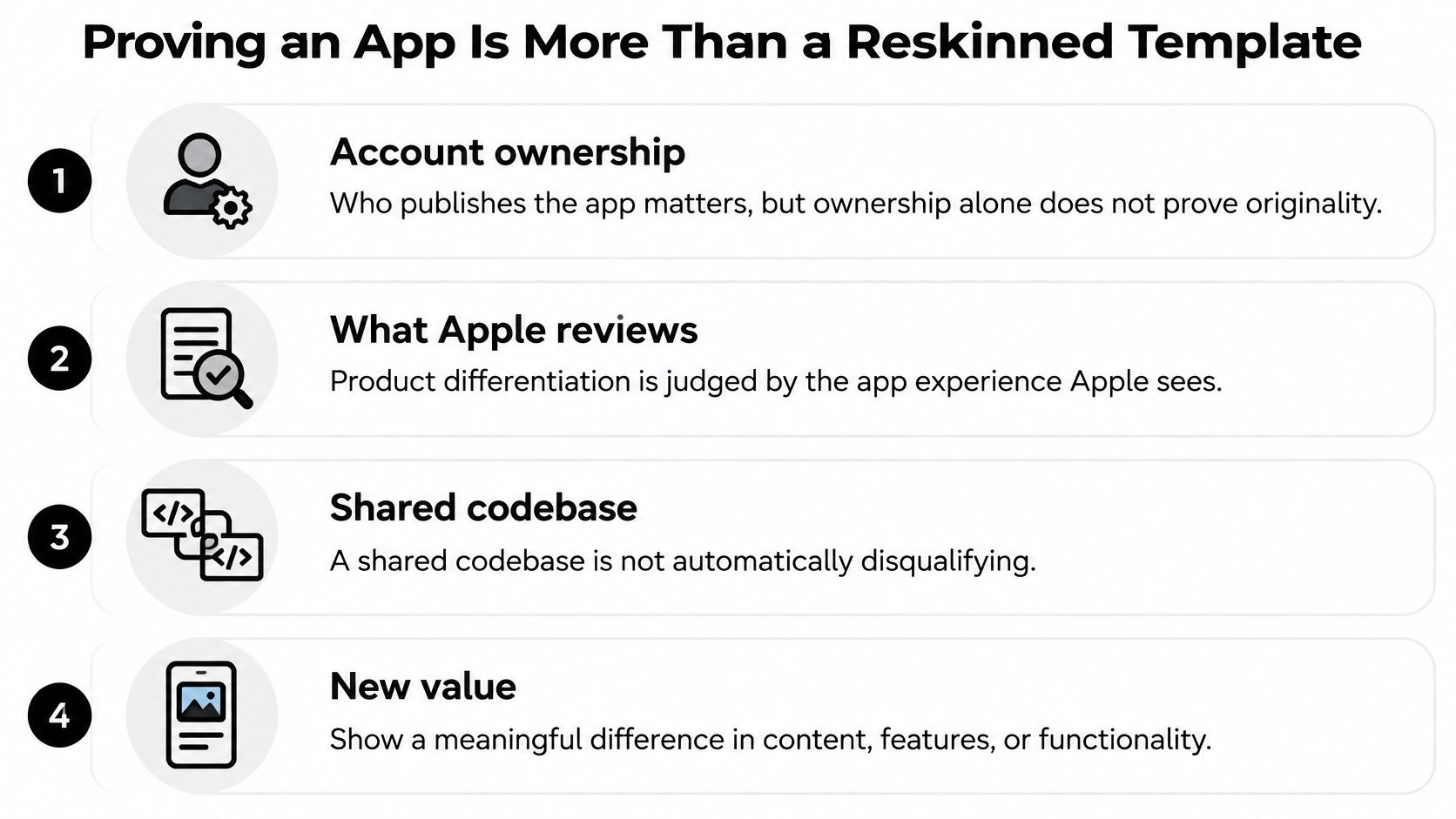
Apple's rule does not ban templates or generation services. It catches apps that reach review looking interchangeable, where the same shell carries a new name and little else. There is no published threshold of custom features, so treat "add five features and you are safe" as folklore. Shared infrastructure can be acceptable. A new logo, a colour swap and edited body text are weak evidence of anything.
<a id="what-reviewers-can-actually-see"></a>
What reviewers can actually see
Strong evidence is functional and specific. Distinct user workflows that reflect how this business operates. A differentiated information architecture, not the same four tabs every client gets. Customer-specific features such as a booking calendar, a loyalty balance or a job queue. Meaningful native capabilities: push notifications, camera capture, offline storage, location. Plus original content and data that exists nowhere else.
Weak evidence is cosmetic. Branding changes alone tell a reviewer you ran a template with the name field filled in.
If two apps share one codebase, write down what differs before you submit. If you can't fill a page, you're not ready.
Reviewer notes carry the argument. Include a working test login, a short walkthrough pointing to the exact screens where the unique features live, and a screen recording if the flow takes more than a minute to reach. Reviewers don't hunt for your differentiation, and one who has just opened ten wrapped websites won't go looking.
If AI helped generate the code, keep the engineering trail clean enough to explain what was produced, what was changed and why the result is specific to this business. Guardrails for agentic coding are relevant to that discipline, but they are evidence about build hygiene, not a substitute for visible product differentiation.
Answer two questions in writing before submission: what must differ between two apps sharing a codebase, and what should the reviewer notes show to prove this app is more than branding? If the answers are thin, fix the app rather than the wording.
<a id="common-rejection-scenarios-and-how-to-fix-them"></a>
Common Rejection Scenarios and How to Fix Them
Guideline 4.2.6 is one of four rules that catch generated apps, and the fix differs for each. Match the citation Apple gave you to the right row.
| Rejection pattern | Usual trigger | Fix |
|---|---|---|
| Guideline 4.2.6 (app generation) | Provider submits the client's app, or a reskinned template with no unique function | Publish from the content owner's account and show unique functionality |
| Guideline 4.2 (minimum functionality) | Thin web wrapper with little native value | Add real native features and workflows, then show them in reviewer notes |
| Guideline 4.3 (spam) | App closely resembles many others in the store | Differentiate the build, metadata and listing |
| Restricted category rules | Regulated category without the required licensing | Obtain the licence before submitting |
A 4.2.6 citation usually means the account structure or the product itself failed, and often both. Moving the app to the client's account without changing the experience just moves the rejection.
A 4.2 citation is the "this is a website in a frame" verdict. The answer is one or two native features the core use case needs, such as push notifications, camera capture, offline storage or location, wired in properly and then demonstrated with a test account a reviewer can reach in under a minute. For too-thin rejections, we make sure the app has real native value rather than being a thin wrapper.
A 4.3 citation says the app is indistinguishable from what's already widely available. Changing the logo won't move it. The build, the metadata and the listing all have to read as a distinct product with a specific audience. For template or spam rejections, we differentiate the build, metadata and listing so the app reads as a distinct app in its own right.
Restricted categories fail on paperwork, not code quality. A finance, health, gambling or dating app without the required licensing gets rejected however polished the binary is, and no amount of iteration fixes that.
One rule sits above all four: a client must not ask a service to submit an app that violates Apple's or Google's published policies, whether that's deceptive functionality, infringing or hateful content, or a regulated category without the required licensing.
<a id="how-to-answer-a-rejection"></a>
How to answer a rejection
Reply in the Resolution Center with evidence, not adjectives. Name the screen, the workflow and the feature that answers the reviewer's concern, give the test account and the steps to reach it, and ask which specific flow still falls short if the concern isn't fully resolved. A general appeal wastes a review cycle.
Sort the fixes by cost before you resubmit. Metadata rewrites and screenshot replacements take a day. Native feature work, account migration and licence applications need a rebuild or a filing, so start those first. If a rejection has already landed and you want the response handled end to end, the App Store rejection help service covers the reply, the fix list and the resubmission. Teams preparing a launch in parallel often pair that with the production readiness advice from Continuum Solutions, which covers the gaps that show up once a working prototype meets a real store review.
<a id="how-to-prepare-a-compliant-submission-step-by-step"></a>
How to Prepare a Compliant Submission Step by Step
A compliant submission works like a chain of custody in evidence handling: every link, from the account that owns the app to the person who presses submit, needs to point back to the publishing business. Break one link and the reviewer sees a gap. Work through the sequence in order, because each step assumes the one before it is settled.
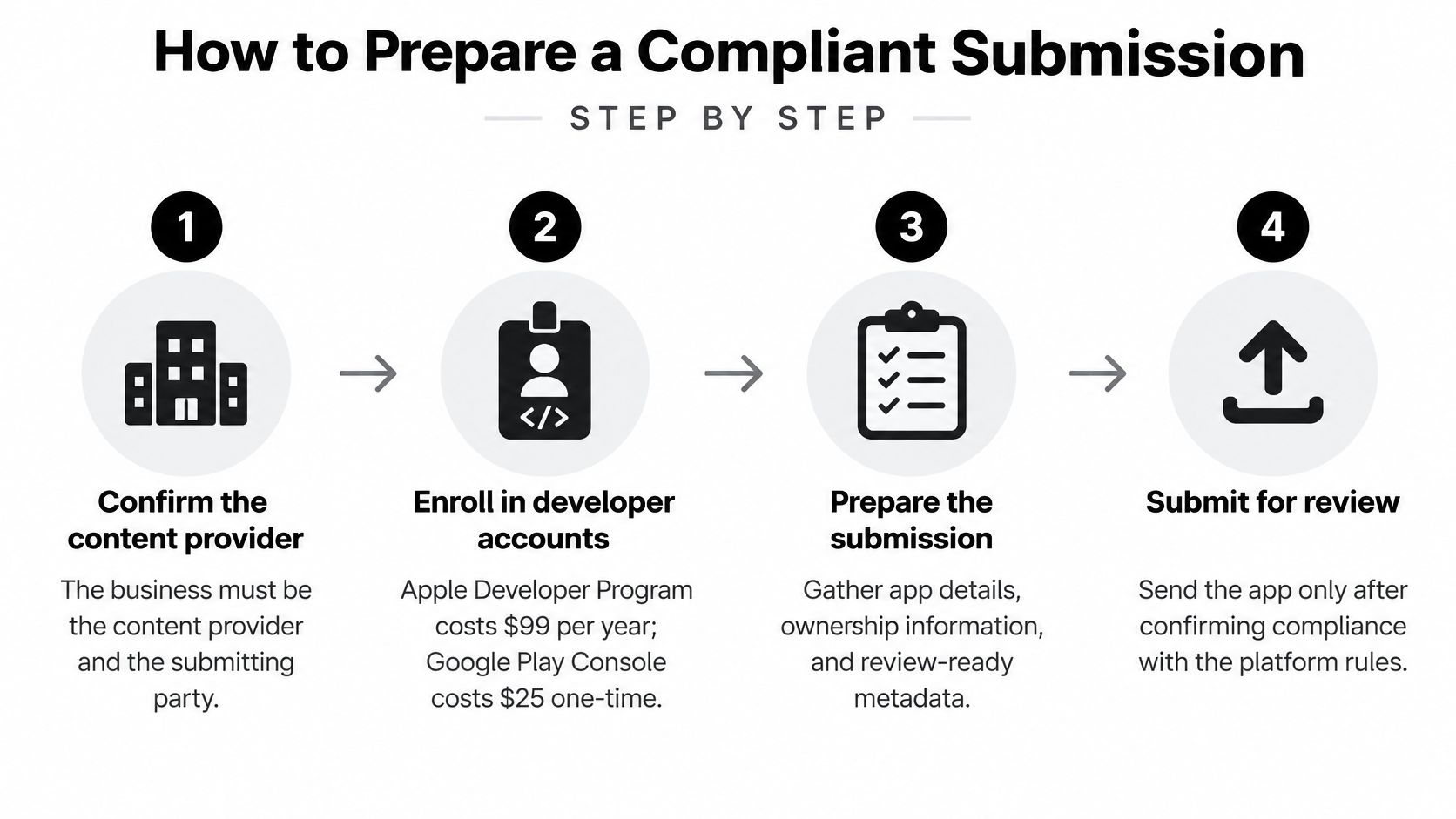
1. Confirm the content provider. The business must be both the party that provides the app's content and the party that submits it. If that answer is ambiguous, stop here, because everything downstream inherits the ambiguity. Apple's guidance separates technical submission assistance from submitting on a client's behalf, and only the first is open to a launch service, as the App Review Guidelines document sets out. A service can prepare, advise and configure the record. It cannot become the publisher.
2. Open the developer accounts in the business's own name. Apple Developer Program membership runs at $99 per year and the Google Play Console is a $25 one-time fee, and enrollment stays the business's responsibility either way. Add any service afterwards as a team member with the access it needs to submit, never as the account holder.
3. Write a differentiation record. One page listing the unique workflows, customer-specific features, native capabilities and original content. This page feeds the reviewer notes and the store listing, and writing it forces an honest check: if the list reads thin on paper, it will read thin in review.
4. Build with the business's own bundle identifier. Sign with the business's certificates so the chain of custody holds inside the binary itself. Reusing one bundle identifier or signing identity across several clients recreates exactly the pattern 4.2.6 targets.
5. Write the listing to match the build exactly. Describe only what the app does, with no feature the reviewer can't reach. Screenshots should show the app in use, not a splash screen or a marketing mockup.
6. Draft reviewer notes with a way in. Provide a working test login, a short walkthrough to the unique features, and a screen recording if the path takes more than a minute. The notes work like directions to a house: the reviewer shouldn't have to guess which door opens. Vague notes cause the most avoidable resubmissions of any item on this list.
7. Check the build against 4.2, 4.2.6 and 4.3, plus any category licensing. A set of software compliance checklist steps helps here, because each rule fails for different reasons and you want all of them cleared before a reviewer sees the build.
8. Submit from the business account and watch the messages. Reply to reviewer questions with evidence and specifics, and keep the responses in the business's voice, because the business is the submitting party. The walkthrough of submitting for review in App Store Connect covers the console mechanics.
Close with a one-page handoff record: who owns each account, who signs builds, who clicks submit, who answers Apple, with the differentiation record attached as an appendix. That document is what you reach for when a reviewer question arrives six months later and the person who set everything up has moved on.
<a id="choose-your-submission-route-before-you-submit"></a>
Choose Your Submission Route Before You Submit
Three questions settle the route. Does the business hold, or will it open, its own Apple Developer account? Does the app show that business's own content and brand? Is this a single branded app, or a shared app holding several clients' content?
If the answers point to a single branded app with the business as publisher, work through the eight steps above and submit from the business account. If they point to a shared aggregated app, the provider owns that app and its content, and every other client still needs their own route into the store. If a service would publish several unrelated businesses' apps from one account, stop and reroute before a build or a payment happens.
Keep the costs that sit outside any service fee in view. Apple and Google account fees, plus any third-party infrastructure or backend hosting bills, stay with the business, and a quote that hides them isn't cheap, it's incomplete.
One next action: write the chosen route and the name of the Apple Developer account holder onto the handoff record, then start. Sharing your app's link and how to reach you is enough for us to try the app and reply within two business days with how we'd get it into the stores.
If your app is built on a template, an AI builder or a shared codebase, the route and the differentiation record are the two things that decide whether it clears review. LetsDeployIt takes a working React Native or Expo app through store assets, compliance checks, submission and reviewer replies in your own developer accounts, with unlimited resubmissions on the first release. Share your app link and we'll reply within two business days with a concrete plan for getting it live, so visit LetsDeployIt when you're ready to start.
Want it in the stores without the guesswork?
A rejection usually comes down to one or two fixes, but finding which ones can take weeks of back and forth.
We handle it end to end. Flat $499.50 for both stores. Approved or your money back.