Basic App Privacy Policy: A Guide to Approval
Write a basic app privacy policy that meets Apple and Google standards. Includes required clauses, a template, and hosting tips.

You can ship a clean app, pass QA, and still get stuck at review because the privacy policy link is missing, broken, or doesn't match what you declared in the store forms. That's the frustrating part of mobile publishing, the issue usually isn't your code, it's the paperwork around your code. A basic app privacy policy is the document reviewers use to compare what the app does, what your SDKs do, and what you told Apple or Google in the submission flow.
The gap has gotten harder to ignore at scale. A 2022 analysis of more than two million Apple App Store records found that only 58.5% of apps provided a privacy-policy link, 39.3% provided no link at all, and among the apps that did include a link, only 38.4% of those links led to a valid privacy policy, which means nearly two-thirds of the links were unverified or broken. The same study also shows the policy problem is partly a discoverability problem, not just a drafting problem, because 1,176,912 apps had policy links while 789,463 did not, making the policy part of app distribution workflow rather than a last-minute legal page. That's why a policy that exists only in your head, or only in a template file, won't survive submission on its own.
Table of Contents
- Why Your App Needs a Privacy Policy Before Submission
- Nine Clauses Every Basic App Privacy Policy Must Include
- The SDK Data Trap That Breaks Most Basic Policies
- A Customizable Privacy Policy Template for Mobile Apps
- Apple and Google Store Compliance Requirements Compared
- Hosting Your Policy and Linking It Correctly in Both Stores
<a id="why-your-app-needs-a-privacy-policy-before-submission"></a>
Why Your App Needs a Privacy Policy Before Submission
I've seen this failure mode more than once. The app itself is tidy, the screenshots look good, the binary uploads cleanly, then review comes back because the policy URL is dead, the policy text is generic, or the store form says one thing while the policy says another. At that point, the reviewer isn't judging your engineering quality, they're checking whether your public disclosures match the app in front of them.
<a id="why-reviewers-care-about-the-link-not-just-the-text"></a>
Why reviewers care about the link, not just the text
Apple and Google both treat the policy as a live compliance artifact, not a decorative footer link. Apple's mobile-app privacy expectations are tied to the policy you submit and the disclosures you make in App Store Connect, while Google expects a policy alongside the app's public data disclosures in Play Console. If your form says you collect analytics data, but your policy says you collect nothing, that mismatch is the problem.
The historical trend is clear too. The Future of Privacy Forum's 2016 Mobile Apps Study found that 76% of top apps across iOS and Android had a privacy policy, up from 68% in 2012 and 50% in 2011, and only 71% made the policy easily accessible through a link on the app listing page. That's a useful reminder that policy coverage became mainstream during the 2010s, but “mainstream” still didn't mean universal.
Practical rule: if the policy can't be reached from the listing page and the app itself, treat it as incomplete.
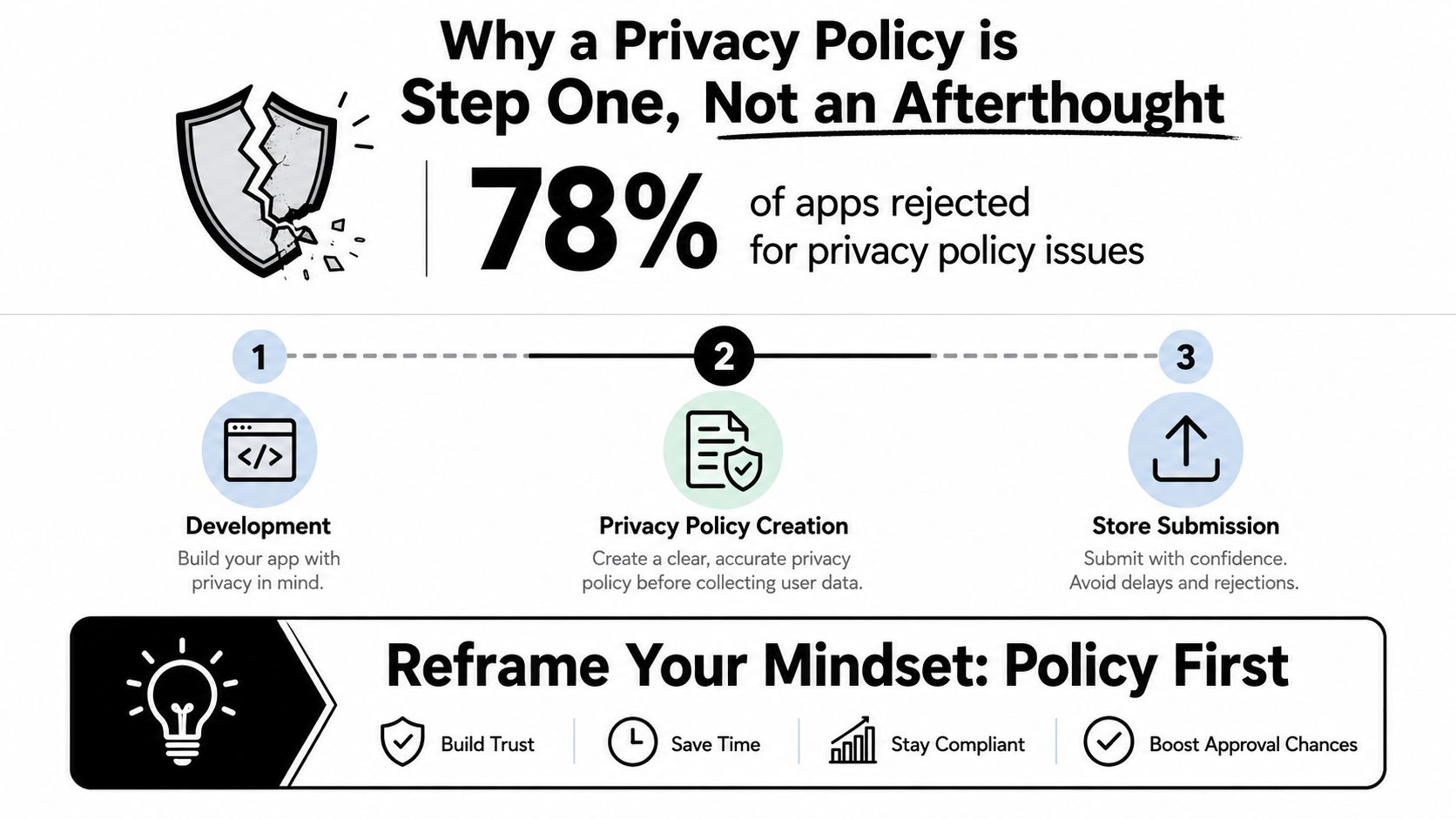
The mindset shift is simple. The policy isn't the final step before submit, it's the document that determines whether the rest of your listing is truthful. Once you accept that, you stop writing vague safety language and start building the policy from actual app behavior.
<a id="nine-clauses-every-basic-app-privacy-policy-must-include"></a>
Nine Clauses Every Basic App Privacy Policy Must Include
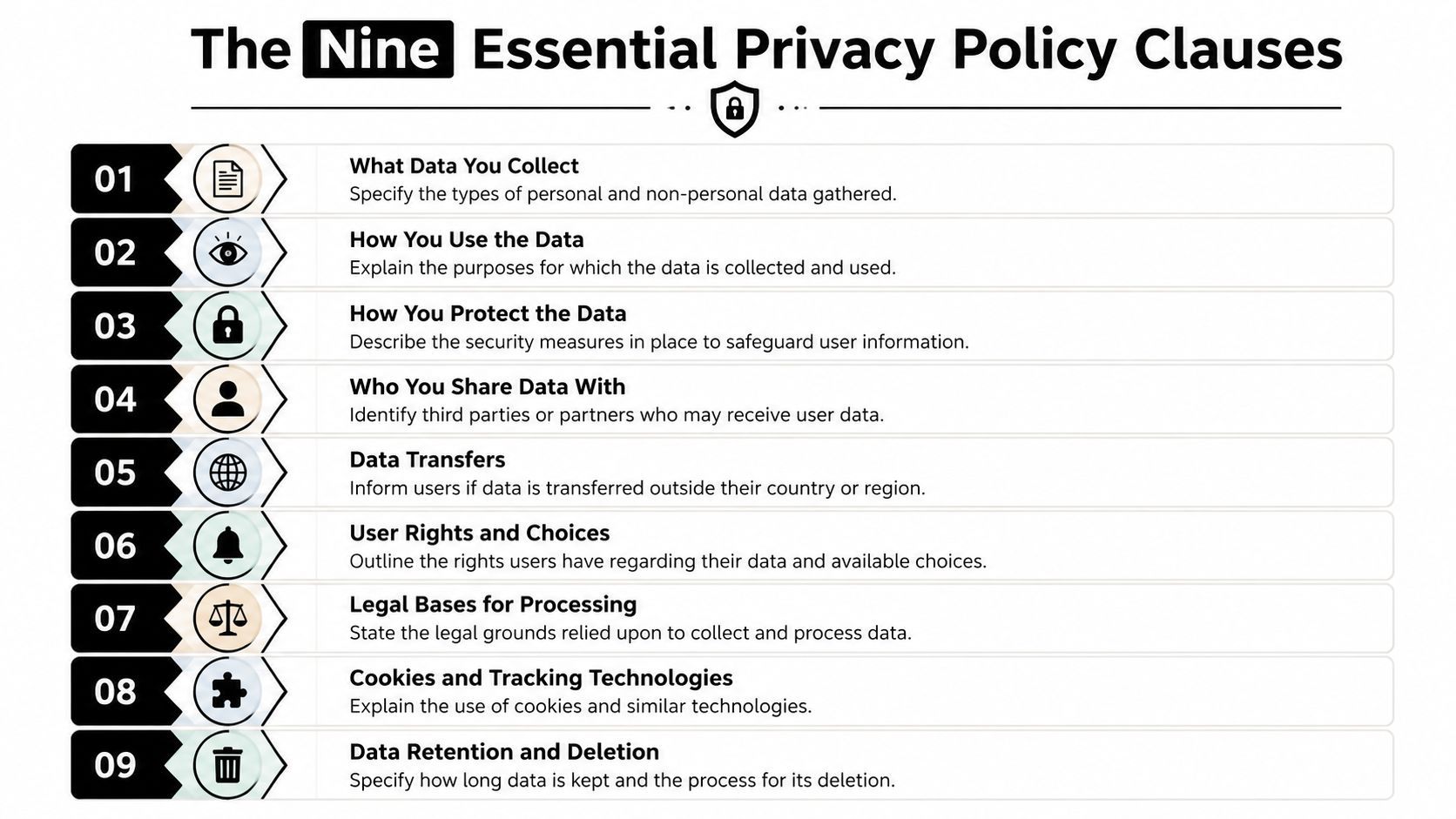
A usable basic app privacy policy doesn't need legal theater. It needs enough specificity that a reviewer, a user, or your own team can trace what data moves through the app and why. The cleanest way to do that is to cover the same nine areas every serious app-policy checklist eventually comes back to.
<a id="what-data-you-collect-and-why"></a>
What data you collect and why
Start with the obvious, then get precise. List the data your app collects, such as account details, usage data, device identifiers, location, or payment information, and explain the purpose for each category. A reviewer can usually spot boilerplate because it says everything and nothing at the same time.
<a id="who-gets-the-data-and-how-long-you-keep-it"></a>
Who gets the data and how long you keep it
State whether data goes to service providers, analytics vendors, crash-reporting tools, payment processors, or cloud hosts. Then describe retention in plain English, even if the rule is simple, because “we keep data as long as needed” is too vague when a user asks what that means in practice.
<a id="rights-safety-children-contact-and-changes"></a>
Rights, safety, children, contact, and changes
The rest of the policy should answer the questions users ask:
- Access and deletion rights. Explain how users can request a copy of data or ask for deletion.
- Security measures. Describe the protection you use, such as encryption or access controls, without pretending any system is perfect.
- Children's privacy. Say whether the app is intended for children and how you handle underage data if it appears.
- Privacy contact. Give a real email or support route, not a dead inbox.
- Policy changes. Say how you'll notify users when the policy changes.
A policy that hits those points reads like an honest operational document. A policy that skips them looks like a template pasted in from another app. The difference shows up fast when a reviewer compares it to your store questionnaire.
If a clause doesn't map to a real behavior in the app, cut it. If a real behavior isn't covered, add it.
<a id="the-sdk-data-trap-that-breaks-most-basic-policies"></a>
The SDK Data Trap That Breaks Most Basic Policies
The most common mistake I see is the sentence, “We don't collect any data.” Developers write it because their own backend stores almost nothing, then ship Firebase Analytics, AdMob, Crashlytics, a social login SDK, or a payment SDK that collects data on their behalf. That's where basic policies fall apart, because the policy has to describe the app's real data flow, not only the code you wrote by hand.
<a id="audit-the-tools-before-you-write-the-disclosure"></a>
Audit the tools before you write the disclosure
Every dependency deserves a review. Analytics, crash reporting, ads, authentication, payments, push, and cloud SDKs can all touch device identifiers, usage patterns, or diagnostic data, and those details need to show up somewhere in the policy and the store forms. The official Australian guidance on app privacy policy creation recommends building the policy from a data-flow inventory, mapping every collection point in the app and its SDKs, then documenting the data type, purpose, recipient, retention period, and legal basis before publishing it at a permanent public URL. It also notes that the policy should be linked in both App Store Connect and Google Play Console.
<a id="write-disclosures-that-match-what-the-app-actually-does"></a>
Write disclosures that match what the app actually does
The policy should not say “we collect nothing” if your app uses an SDK that collects device identifiers or usage data. It should say what the app itself collects, what external services collect on your behalf, and which features depend on those tools. That's especially important because Apple requires developers to complete App Privacy details in App Store Connect and Google Play requires a Data safety disclosure, so the store questionnaire and the policy have to tell the same story.
Short version: if an SDK can see it, send it, or store it, your policy needs a sentence about it.
The fastest practical method is a dependency sheet. List each SDK, what it does, whether it sends data off-device, and whether the app still works if you disable it. Once you do that once, the policy stops being a guessing game and starts becoming a translation exercise.
<a id="a-customizable-privacy-policy-template-for-mobile-apps"></a>
A Customizable Privacy Policy Template for Mobile Apps
A template works if it forces honesty. It fails if it lets you swap in your app name and leave the rest vague. The goal is a draft that mirrors your actual app behavior, not a generic shield that sounds compliant and tells users almost nothing.
<a id="copy-this-structure-then-fill-the-blanks"></a>
Copy this structure, then fill the blanks
Use the following as a practical starting point:
- App name and company:
Privacy Policy for [App Name], owned by[Company Name]. - Effective date:
[Insert date]. - Data we collect: list only the categories your app collects.
- How we use data: connect each category to a real app purpose.
- Sharing and recipients: name service providers, SDK categories, and any third parties.
- Retention: explain how long data is stored and when it's deleted.
- Security: describe the measures you use.
- Children's privacy: state the age policy or underage handling.
- Contact: add a working privacy email or support route.
- Changes to this policy: explain how updates are announced.
If your app uses analytics, ads, login, or payments, name those categories directly instead of hiding behind broad language like “third-party services.” If your app has no account system, don't copy in account language just because the template had it.
<a id="when-to-stop-using-the-template-alone"></a>
When to stop using the template alone
A good template gets you to a reviewable first draft. It won't save you if your app does anything unusual, such as handling location, health-like data, children's data, or cross-border transfers. That's the point where legal review starts to make sense, especially if your privacy obligations extend beyond the store rules.
The safest test is simple. Read the policy as if you were a reviewer with your store questionnaire open on another screen. If a sentence can't be backed by a real feature, SDK, or workflow, it doesn't belong.
<a id="apple-and-google-store-compliance-requirements-compared"></a>
Apple and Google Store Compliance Requirements Compared
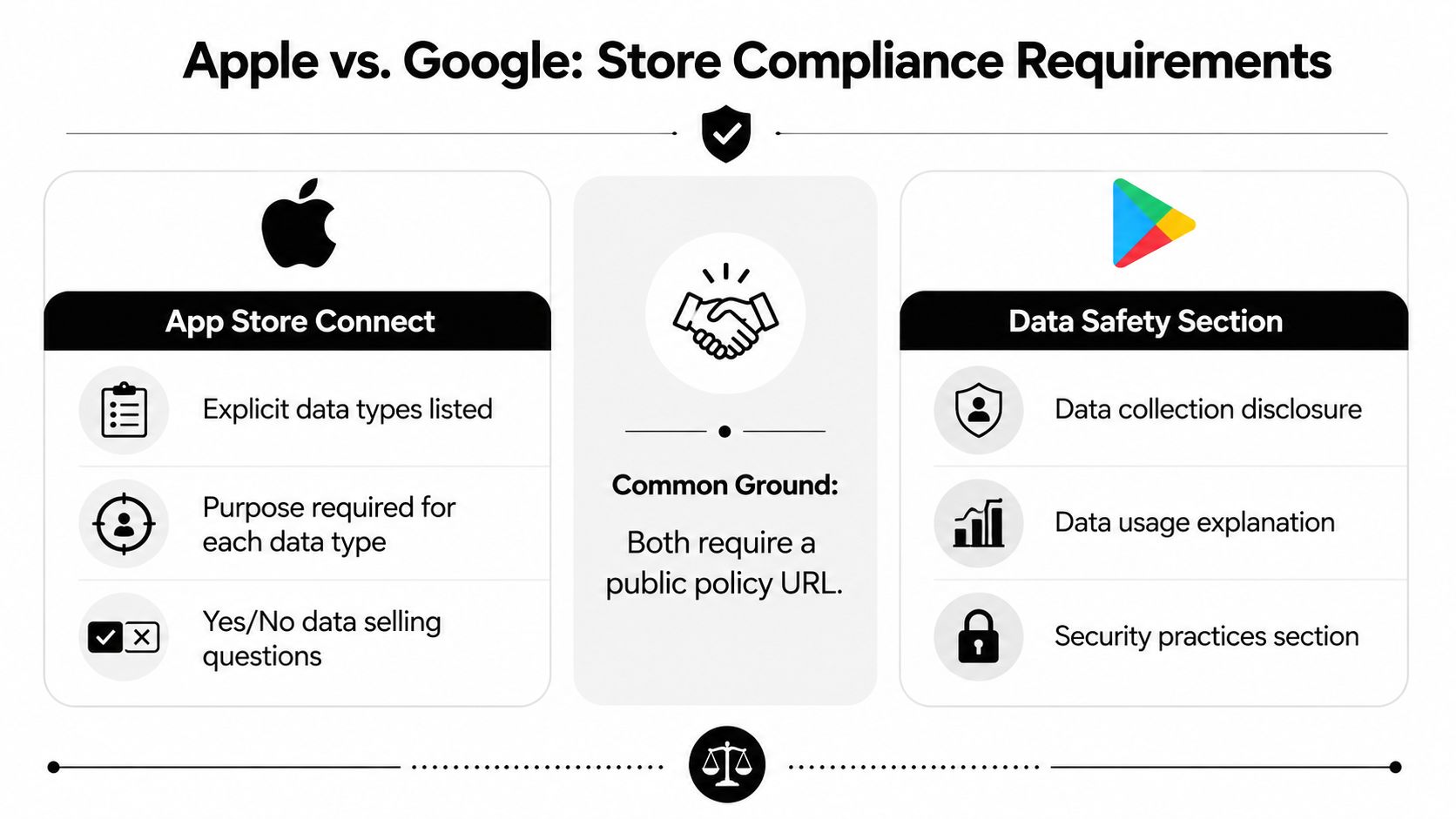
Apple and Google both want a public policy URL, but they don't ask you to explain your app in exactly the same way. Apple's App Store flow pushes you toward App Privacy details in App Store Connect, while Google's Play Console uses the Data Safety section. The forms aren't identical, but they're close enough that your written policy should support both without contradiction.
<a id="where-the-two-stores-line-up"></a>
Where the two stores line up
Both stores expect a live policy URL, and both expect the policy to reflect what the app does. If the policy mentions analytics, login, or crash reporting, the disclosure forms need to acknowledge that data path too. The reviewer doesn't need a perfect legal memo, but they do need consistency between the public policy and the store questionnaire.
<a id="where-mismatches-usually-happen"></a>
Where mismatches usually happen
Apple and Google get picky in different places. The most common rejection pattern is simple, you declare no data collection in the store form, but the policy mentions analytics, ads, or a third-party SDK. The reverse also trips teams up, where the policy is too broad and mentions data that the app form doesn't support.
Reviewer rule of thumb: if the form and the policy can't be reconciled in one read, expect a follow-up.
For practical submissions, I've found the safest workflow is to fill the store questionnaires from the policy draft, not the other way around. That keeps the public document and the platform-specific disclosures aligned, which matters more than polished wording. If you need to simplify, simplify by removing unsupported claims, not by pretending the SDKs don't exist.
<a id="hosting-your-policy-and-linking-it-correctly-in-both-stores"></a>
Hosting Your Policy and Linking It Correctly in Both Stores
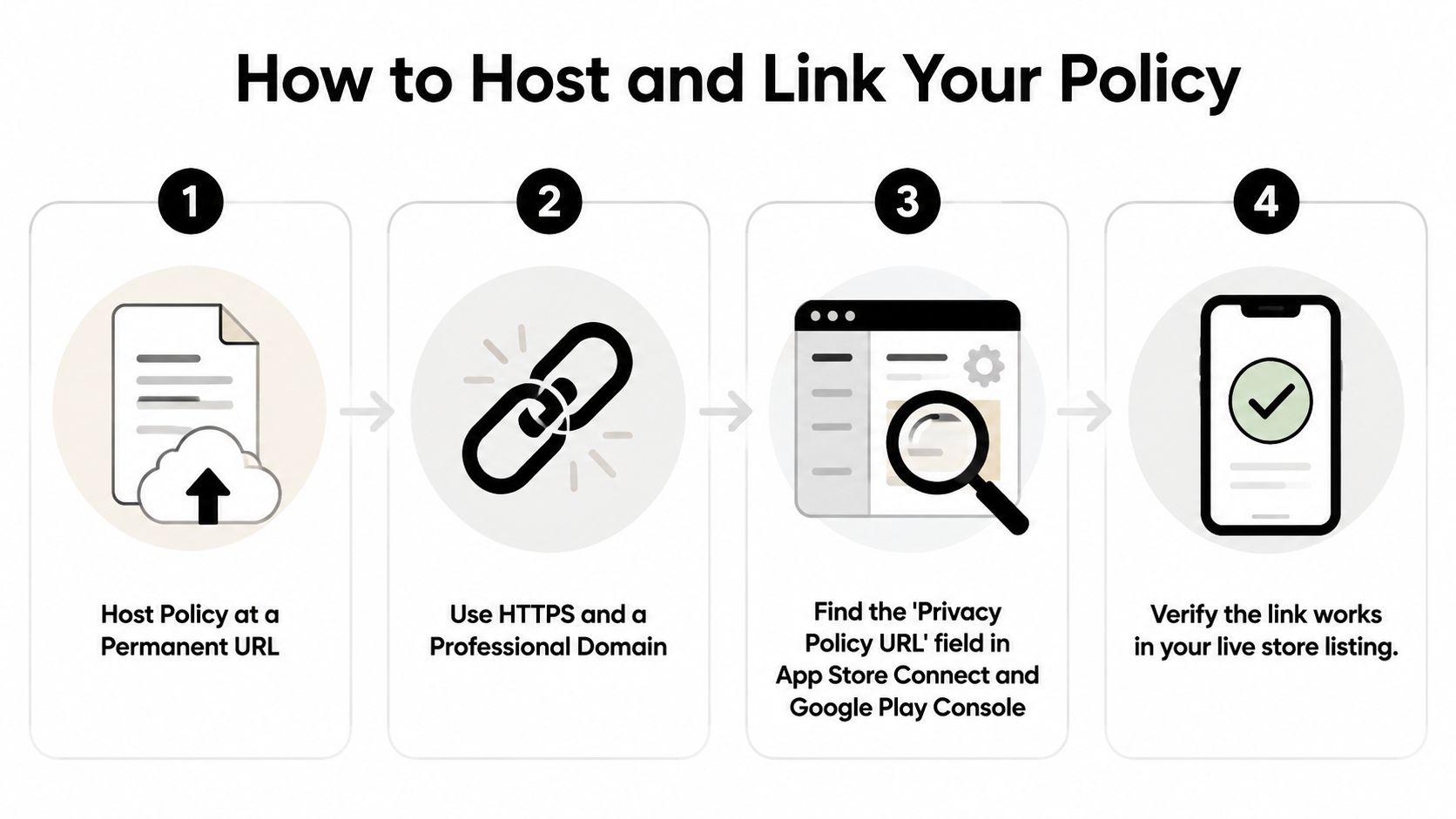
A privacy policy that can't be reached is functionally useless. It needs a permanent, publicly accessible URL, and that URL has to work in the browser without a login wall, expired link, or document-sharing permission issue. A polished policy buried in a private drive still gets treated like a missing policy.
<a id="host-it-where-review-can-always-reach-it"></a>
Host it where review can always reach it
The simplest option is a stable page on your app's website. If you use a privacy policy host or generator service, make sure the page is public, uses a stable URL, and won't disappear when you change plans or accounts. A Google Doc, a private Notion page, or any link that needs a login is asking for trouble.
<a id="put-the-url-in-the-right-console-fields"></a>
Put the URL in the right console fields
Apple expects the privacy-policy link in App Store Connect, and Google Play expects it in the Privacy Policy URL field inside the policy section of Play Console. Don't wait until the final submit step to check the link, because a broken field often wastes a review cycle that could've been avoided with a simple browser test.
Before you hit submit, verify three things:
- The page loads publicly in an incognito window.
- The URL matches the policy text you're submitting.
- The app listing and app itself both point users to the same policy.
A policy link is part of the product surface. Treat it that way, keep it stable, and test it every time you ship a major privacy-related change.
If you want the submission side handled by a team that works through the policy, store listings, screenshots, reviewer notes, and platform questionnaires together, visit LetsDeployIt. They specialize in getting React Native and Expo apps approved on Apple App Store and Google Play, and that kind of end-to-end support is exactly what saves time when privacy details, SDK disclosures, and store forms all need to match.