7 Tools for the Best App Store Screenshots in 2026
Discover 7 top tools and services to create the best app store screenshots. From AI generators to full-service agencies, find your perfect solution for 2026.

Your screenshots are the first real sales conversation on the App Store. If the layout feels cramped, the value prop is vague, or the device sizes are off, you're losing people before they ever read your reviews. And because Apple shows the first 1–3 images in search results when no preview video is available, the lead screenshots have to do the heavy lifting immediately, not later on the page Apple's product page guidance.
That's why the best app store screenshots aren't just pretty mockups. They're the assets that fit Apple's format rules, survive multi-device production, and make a clear case for download in a few seconds. Apple allows up to 10 screenshots per localization Apple's product page guidance, and independent guidance still recommends using the maximum screenshot count available because the first 2–3 screenshots carry the most weight AppTweak's screenshot guidance. Meanwhile, benchmark data shows how unforgiving the page flow is, with healthy iOS performance sitting around 3.6% to 3.8% impression-to-install and roughly 25% to 27% page-view-to-install ScreenFast's 2026 benchmark post. In other words, screenshot work isn't decoration. It's conversion work.
Table of Contents
- 1. LetsDeployIt
- 1. LetsDeployIt
- 2. AppScreens
- 3. TheAppLaunchpad
- 4. Previewed
- 5. Rotato
- 6. Hotpot.ai
- 7. AppMockUp Studio
- Top 7 App Store Screenshot Tools Comparison
- Choose the Right Workflow for Your Launch
<a id="1-letsdeployit"></a>
1. LetsDeployIt
If your launch has to move from design to submission without a lot of handoffs, LetsDeployIt is built for that workflow. It suits React Native and Expo teams that do not want to split screenshot production, copywriting, compliance, review replies, and store submission across separate tools or people. The practical advantage is ownership. One team handles the screenshot set, the listing assets, and the approval path, instead of leaving you with files and a loose process to finish later.
The tool is strongest where many screenshot generators stop. LetsDeployIt prepares screenshots for every device size, store listing copy, keywords, app icons, demo video, privacy policy and Terms hosting, compliance checks, reviewer notes, and the Google Play Data Safety questionnaire, then manages submission end to end through reviewer correspondence LetsDeployIt. That matters because Apple and Google care about more than visual polish. They also care about whether the creative, metadata, and supporting pages line up with store rules and review steps. Apple allows up to 10 screenshots per localization, and the first 1–3 images can appear in search results, so the opening creative has to be accurate and geared toward conversion, not just styled well.
For teams comparing workflows, this is a full-service option rather than a screenshot-only tool. It makes the most sense when the screenshot set is part of a broader release process and the team wants fewer gaps between design, compliance, and submission. If you only need a fast mockup generator, it will be more than you need. If you need one place to coordinate the assets that support an App Store or Google Play launch, it saves time where launch friction usually shows up.
<a id="1-letsdeployit-1"></a>
1. LetsDeployIt
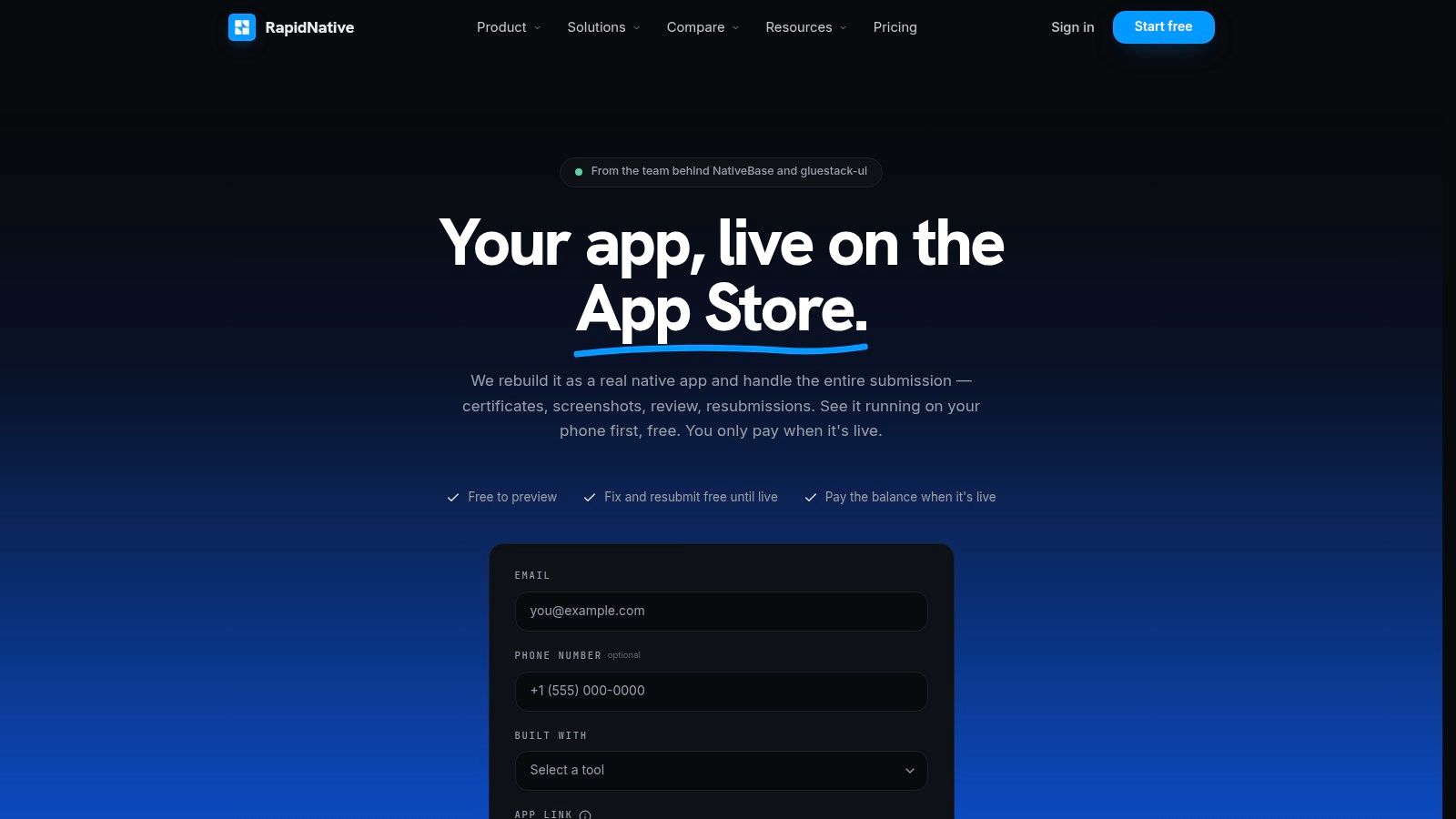
If you want screenshots handled as part of a real release process, LetsDeployIt is the most practical choice on this list. It's built for React Native and Expo teams that do not want to split copy, creative, compliance, review back-and-forth, and store submission into separate steps. The main benefit is simple. One team owns the screenshot set, the listing assets, and the approval path, instead of handing you a folder and leaving the rest unfinished.
Its value shows up in the parts most screenshot tools ignore. LetsDeployIt prepares screenshots for every device size, store listing copy, keywords, app icons, demo video, privacy policy and Terms hosting, compliance checks, reviewer notes, and the Google Play Data Safety questionnaire, then manages submission end to end through reviewer correspondence LetsDeployIt. That matters because Apple and Google do not just judge design quality. They also judge whether your assets and metadata are ready for the store's rules and review flow. Apple also allows up to 10 screenshots per localization and may show the first 1–3 images in search results Apple's product page guidance, so the lead creative has to be accurate and conversion-focused, not just attractive.
<a id="best-for-teams-that-want-screenshots-handled-inside-a-full-launch-process"></a>
Best for teams that want screenshots handled inside a full launch process
The workflow is strongest when the screenshot project cannot be separated from approval. LetsDeployIt combines AI drafting with human review, assigns a senior reviewer to each project, and offers unlimited resubmissions with a 100% “approved or your money back” guarantee LetsDeployIt. For founders and agencies, that removes a lot of the hidden cost of store iteration, especially when reviewer notes keep changing the asset brief.
Practical rule: If your screenshots need to survive store review, closed testing, signing, and compliance checks, do not buy a “design tool” and then build five more internal processes around it.
There is also a real operational edge for newer Play Console accounts. LetsDeployIt says it supplies and manages 12 vetted testers and runs the required 14-day closed test for new personal Play Console accounts LetsDeployIt. That is not a screenshot feature in the narrow sense, but it directly affects whether the launch assets ever get in front of users.
The trade-off is cost and scope. Pricing starts at $999 for a single store or $1,799 for both stores, while Apple's $99/year developer fee and Google Play's $25 one-time fee sit outside that flat fee LetsDeployIt. If you need pure design control, this is more service than software. If you need screenshots, submission, and approval without becoming the store expert, it is one of the strongest bets.
<a id="2-appscreens"></a>
2. AppScreens
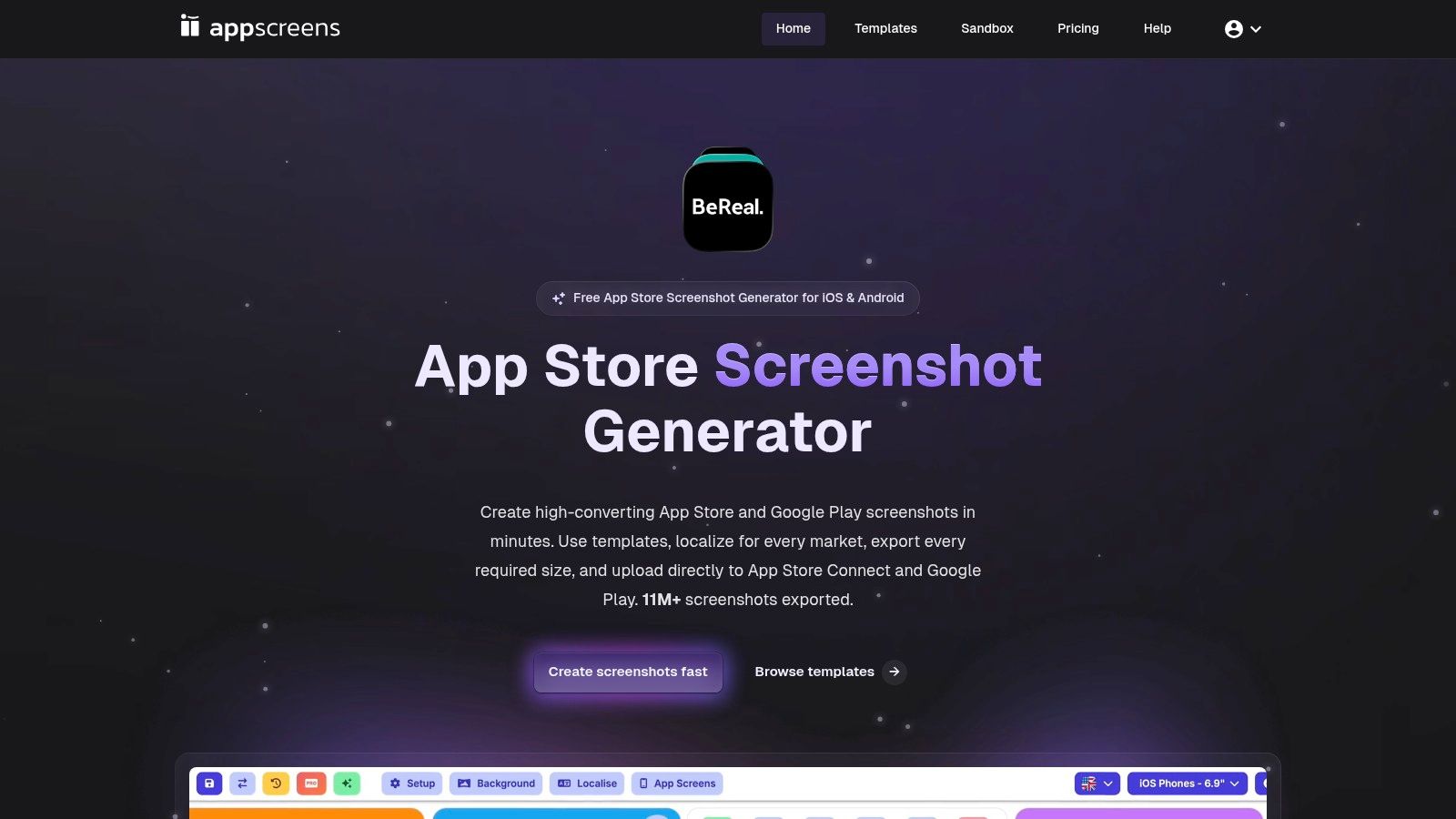
AppScreens fits teams that need to get store-ready screenshots out quickly, then localize, export, and upload without stitching together a bigger process than the task deserves. It runs in the browser, which makes it easier to use than motion-heavy desktop software for teams that want a repeatable screenshot pipeline instead of a custom design environment. The useful version of this workflow is plain, upload screens, write captions, preview device sizes, export, and move on.
The feature set is built around that sequence. AppScreens offers 150+ template sets, 500+ editable layouts, exports for iOS and Google Play sizes, one-click uploads to App Store Connect and Google Play Console, built-in AI for captions and restyling, and localization support for 80+ locales on its Scale tier AppScreens. That matters for teams shipping into several markets, because Apple's screenshot system is highly device-specific and Apple's App Store Connect supports multiple image formats across iPhone, iPad, Mac, and Vision Pro Apple screenshot specs. The production problem is not just making a good layout. It is keeping it readable and compliant across form factors.
<a id="best-for-teams-that-need-screenshot-generation-localization-and-uploads-in-one-browser-workflow"></a>
Best for teams that need screenshot generation, localization, and uploads in one browser workflow
AppScreens works especially well when the screenshot set changes often. Product teams can keep the editable project alive, adjust captions, and push new variants without rebuilding every file by hand. That matters because App Store screenshot requirements are not just visual, they are operational, with correct base sizes, aspect ratios, and scaling behavior all part of the technical burden The App Launchpad's guidance.
A screenshot workflow is only fast if the next revision does not force you to restart from zero.
It also suits teams that localize aggressively. Instead of translating captions in a separate pass and then relaying out every image, AppScreens keeps the creative and language workflow together AppScreens. That saves time when a market manager wants a different hook or when a longer translation breaks the caption line length.
The main limitation is collaboration maturity. Multi-user seat management is still listed as coming soon, so larger teams may need to share access for now AppScreens. Even so, the free plan is usable enough to build a basic set before upgrading, which makes it a practical starting point for indie developers who want more structure than a blank canvas.
<a id="3-theapplaunchpad"></a>
3. TheAppLaunchpad
TheAppLaunchpad feels like a screenshot builder that has already worked through the messy parts. That matters in practice, because many tools are easy to start and tedious to finish with once app store sizes, localization, and export naming all have to be handled by hand.
The platform sits in that middle ground. It offers a broad template library, current device frames, AI-assisted translation and localization, plus onboarding material that explains how to create and download screenshot sets. For teams that need a reliable production path without a steep learning curve, that is often enough. The strongest case for this tool is not flash, it is consistency.
<a id="best-for-established-screenshot-production-with-broad-template-coverage"></a>
Best for established screenshot production with broad template coverage
TheAppLaunchpad is useful when the creative direction is already set and the team just wants a tool that stays out of the way. Its library helps with category-specific layouts, and the help center is useful for newer creators who need the mechanics spelled out. In practice, that makes it easier to bring in a marketer or indie founder who does not live in design software every day.
What it does not promise publicly matters too. There is no clear direct-upload workflow in the materials provided, so manual uploads may still be part of the process. That is workable for many teams, but it is less attractive if your release process already has too many handoffs. When a launch moves fast, every extra export step creates another chance for errors.
Use mature template libraries when speed matters, but do not confuse familiar with finished.
Pricing is also less transparent than some buyers want. The paid tier is reported externally as being around a monthly or annual subscription, but the public pricing page is gated, so I would treat it as a tool to evaluate for workflow fit rather than bargain-hunting. If you value a well-established builder with broad device coverage and usable guidance, it belongs on the shortlist.
<a id="4-previewed"></a>
4. Previewed
Previewed works well when a screenshot set needs more presentation polish than a standard browser builder usually gives. The tool focuses on visual styling, 2D and 3D device scenes, panorama-friendly layouts, and promo-video exports. That makes it useful when the same assets have to support launch pages, ads, or pitch material, not just the App Store listing itself. App creatives often have to do more than document the product. They also need to carry the brand across the rest of the launch stack.
The payment model gives teams room to test before committing. Previewed offers free use, one-time credits for higher-resolution exports and 3D or video output, and a Pro subscription for unlimited exports Previewed. That flexibility helps teams that do not want to take on a monthly tool just to produce a few polished scenes. It fits indie launches especially well, where the visual budget is tight but the first impression still has to feel deliberate.
<a id="best-for-cinematic-mockups-panoramas-and-quick-promo-exports"></a>
Best for cinematic mockups, panoramas, and quick promo exports
Previewed stands out in the rendered scene itself. It fits better than a basic screenshot builder when the goal is to make the product feel premium rather than merely documented. Teams that need screenshots and quick motion assets can stay in one workflow instead of moving into a heavier 3D app pipeline.
The trade-off is workflow depth. It is not a full ASO localization system, so the layouts still need to be assembled and the store uploads handled separately Previewed. That makes it strongest when the creative brief is already settled and the team just needs attractive mockups fast. For a single-market launch or a clean demo reel, that is enough. For a multi-locale rollout with repeated store testing, it can become one more tool in a chain instead of the whole chain.
A useful way to frame Previewed is as a presentation layer, not a production hub. It can make a product look sharper than static frames usually do, but app-store readiness still depends on the rest of the workflow. That is a fair trade if the team already has a solid creative process and only needs better scenes.
<a id="5-rotato"></a>
5. Rotato
Rotato is the tool I'd pick when app store screenshots need motion, depth, and a more polished visual finish. The main studio is Mac-native, and there is a lighter web version for simpler template-based work, which says a lot about the audience. It is built for teams that want cinematic device shots and animated exports that can hold up in launch videos or high-end product pages.
The feature set is aimed squarely at visual quality. Rotato includes a large 3D device library, animation timelines, 4K to 8K stills, and ProRes or H.264 video output, along with App Store export helpers and templates Rotato. The one-time license model is also appealing for teams that want to avoid subscription fatigue, especially if mockup production is a regular part of the workflow instead of a one-time test.
<a id="best-for-polished-3d-motion-and-premium-product-shots"></a>
Best for polished 3D motion and premium product shots
Rotato works well when screenshots need to suggest motion and tactile realism. A static phone frame can look fine, but a clean 3D render with controlled lighting usually feels more deliberate, especially for consumer apps where the visual brand carries a lot of weight. The Mac-native renderer also helps teams that care about speed and output quality at the same time Rotato.
The trade-off is the learning curve. If you have not worked in motion or 3D before, Rotato asks for more discipline than a browser-based template tool. That investment pays off when the creative team can spend time on the craft, and it matters less when the main goal is to get approved screenshots live quickly. The full studio is also Mac-only, which limits its fit for mixed-platform teams Rotato.
Choose Rotato when the screenshot set needs to feel like a product trailer, not a spreadsheet of features.
For app marketers, the choice is throughput versus finish. Rotato can produce some of the most visually striking assets in this category, but it does not try to be an end-to-end ASO workflow. It is a strong specialist for teams that want premium motion and device rendering, while other tools in this list cover broader screenshot production, AI-assisted generation, or simpler low-budget output.
<a id="6-hotpotai"></a>
6. Hotpot.ai
Hotpot.ai is the practical budget option when you only need a few app store graphics and do not want to commit to a subscription. It fits quick experiments, ad hoc updates, and launches where the screenshots need to look decent fast, not win design awards. That trade-off makes sense when the work is small and the goal is speed.
Its App Store graphics section includes iOS and Mac App Store templates, panorama styles, and related utilities such as an icon generator and size guides Hotpot.ai. The pay-per-graphic model is what separates it from broader suites. If you export infrequently, buying one asset is easier to justify than carrying another monthly tool in your stack.
<a id="best-for-one-off-assets-on-a-tight-budget"></a>
Best for one-off assets on a tight budget
Hotpot.ai works best when the use case stays narrow. You want a fast mockup, a basic graphic, or a simple update to an existing listing, and you do not need deep localization, a full upload workflow, or team-based project structure. In that setup, the low-friction pricing carries the value.
The trade-off is direct. You give up cohesion and control compared with a dedicated screenshot suite. That is acceptable if you are shipping a small set of assets, but the manual burden grows quickly once you need multiple locales or repeated store updates. Without a broader workflow, each screenshot stays a standalone task instead of part of a system.
Hotpot.ai also makes sense as a bridge if the app starts to scale. It is a reasonable place to prototype creative direction before committing to a heavier workflow. For a founder who just needs something clean on the page, that is often enough.
<a id="7-appmockup-studio"></a>
7. AppMockUp Studio
AppMockUp Studio is the simplest path to usable screenshots if the budget is basically zero. It runs in the browser, it's free, and it gets first-time creators from blank page to a decent-looking set without making them learn a full design platform. That makes it ideal for quick drafts, early validation, or launches where the visual requirements are modest.
The tool offers ready-made templates for multiple app categories, recent device frames with real, clay, and color styles, and panoramic or gradient backgrounds that help connect multi-panel sets AppMockUp Studio. In practice, that's enough to make the screenshots look intentional rather than raw. For indie developers, that can be the difference between shipping with something polished and delaying the release for a tool you'll only use once.
<a id="best-for-free-browser-based-drafts-and-fast-launches"></a>
Best for free browser-based drafts and fast launches
AppMockUp Studio is strongest when speed matters more than sophistication. You can assemble a functional set quickly, then upload it manually to the store. That keeps the process simple for first-time creators who don't want to spend a weekend learning a more complex suite AppMockUp Studio.
The limitation is the missing workflow layer. There's no built-in localization system, no one-click store upload, and none of the AI caption or project-management support that paid suites use to keep production tidy. That means it's better for a single-market draft than for a serious multi-locale rollout. If your screenshots need to evolve with every release, the free convenience can become a maintenance headache.
Free is useful when it reduces friction, not when it creates a dead end.
Still, I'd keep AppMockUp Studio in the toolkit for early-stage work. It's a clean way to pressure-test a visual direction before committing to a more detailed workflow, and for a lot of smaller launches, that's enough.
<a id="top-7-app-store-screenshot-tools-comparison"></a>
Top 7 App Store Screenshot Tools Comparison
| Tool | 🔄 Implementation complexity | ⚡ Resource requirements | ⭐📊 Expected outcomes | 💡 Ideal use cases | ⭐ Key advantages |
|---|---|---|---|---|---|
| LetsDeployIt | Low for the user, vendor-managed end-to-end submission | Paid flat fee (starts ~$999); Apple/Google dev fees excluded; minimal user time | ⭐⭐⭐⭐⭐, complete store approval, ASO-ready assets, reviewer defense | Founders/PMs/agencies who want guaranteed, fast launches | Full submission handling, AI + senior reviewer, approval guarantee |
| AppScreens | Low–Medium, browser-based, guided workflows | Free tier; paid plans for premium templates & direct uploads | ⭐⭐⭐⭐, polished, localized screenshot sets with store uploads | Teams needing multi-locale screenshots and one-click uploads | Large template library, built-in localization, store upload flow |
| TheAppLaunchpad | Low, straightforward screenshot builder with onboarding | Paid plans (gated pricing); moderate time for setup | ⭐⭐⭐⭐, mature, store-ready screenshots and export guidance | Indie devs and agencies producing standard screenshot sets | Extensive templates, up-to-date device frames, strong help content |
| Previewed | Medium, focused on mockups, panoramas and simple motion | Free + pay-per-export or Pro subscription for high-res/video | ⭐⭐⭐, high-quality panoramas and quick promo videos (manual uploads) | Teams needing promo videos, panoramas, or animated scenes | Flexible payments, strong 2D/3D mockups and promo exports |
| Rotato | High, Mac-native 3D/motion studio with learning curve | One-time license (12 months updates); Mac + capable hardware | ⭐⭐⭐⭐, cinematic 3D mockups and high-res video exports | Designers/studios wanting motion/parallax and cinematic shots | Industry-grade renderer, 4K–8K and ProRes outputs, one-time license |
| Hotpot.ai (App Store Graphics) | Low, template-based, quick single-asset generation | Mostly free; pay-per-graphic (~$1) for commercial exports | ⭐⭐, fast single assets, limited cohesion for projects | Low-budget one-offs and quick iterations | Extremely budget-friendly, no subscription required |
| AppMockUp Studio | Low, fast, browser-based screenshot designer | Free to use; minimal time investment | ⭐⭐⭐, solid drafts and polished static screenshots | Quick drafts, cost-sensitive launches, early-stage apps | Truly free, fast learning curve, modern device frames |
<a id="choose-the-right-workflow-for-your-launch"></a>
Choose the Right Workflow for Your Launch
The best app store screenshots are the ones that get finished, look professional, and help the install decision. That's why the right tool depends less on abstract feature lists and more on the job you need done this week. If you need a free browser editor for a quick draft, AppMockUp Studio gets out of the way. If you want low-cost, pay-as-you-go graphics, Hotpot.ai is the budget-friendly bet. If you want polished 3D motion, Rotato and Previewed both bring more visual impact, with Rotato leaning more cinematic and Previewed staying more flexible for mixed asset needs.
For teams that need repeatable production, AppScreens is the strongest middle ground. It connects templates, captions, localization, device sizing, exports, and uploads in one place, which is exactly what most screenshot workflows need once they stop being one-off projects AppScreens. The App Store itself rewards that kind of discipline, because Apple allows up to 10 screenshots per localization, may surface the first 1–3 images in search results, and the store flow is sensitive to format and device requirements Apple's product page guidance, Apple screenshot specs. Screenshot quality is not a garnish, it's one of the first things a shopper sees.
If you're running a launch where screenshots are only one piece of a bigger approval puzzle, LetsDeployIt is the clear specialist. It bundles screenshots with copy, compliance, reviewer defense, and submission, which is the fastest path for founders who'd rather not learn every store nuance themselves LetsDeployIt. That's the big decision point, software for making the assets, or a partner that gets the entire release over the line.
Pick the workflow that matches your bottleneck, not the one with the prettiest demo. Your store page will get better the moment screenshots stop being an afterthought and start being treated like the conversion asset they are.
If you want the screenshot work handled by a team that also manages store submission, compliance, and reviewer back-and-forth, LetsDeployIt is built for that job. It creates app store screenshots as part of a full launch service for React Native and Expo apps, so you're not left stitching the creative together after the design work is done. Visit LetsDeployIt to see how it can take your screenshots from asset to approved release.