Privacy Policy for App That Does Not Collect Data
Privacy policy for app that does not collect data - Discover how to write a privacy policy for an app that does not collect data, with clear, user-friendly

Yes, you still need a publicly accessible privacy policy URL for both Apple and Google, even if your app collects zero personal data. In practice, the store rule is the launch gate, and it applies independently of whether your privacy law analysis says a policy is strictly required.
The mistake many teams make is treating “no data collected” as a full stop. App reviewers don't treat it that way. Apple's submission flow still expects a privacy-policy URL, and Google Play still expects a policy that matches the disclosure you make in Console, even for a minimal app. That's why so many “clean” apps get held up, not because they secretly collect too much, but because the policy, the store form, and the binary don't tell the same story.
Table of Contents
- Why You Still Need a Privacy Policy Even With Zero Data Collection
- Auditing Your App Before You Draft Anything
- Drafting the No-Data Privacy Policy Structure and Wording
- App Store and Google Play Requirements for Zero-Data Apps
- Common Pitfalls That Get No-Data Policies Rejected
- Compliance Checklist Before Your App Store Submission
<a id="why-you-still-need-a-privacy-policy-even-with-zero-data-collection"></a>
Why You Still Need a Privacy Policy Even With Zero Data Collection
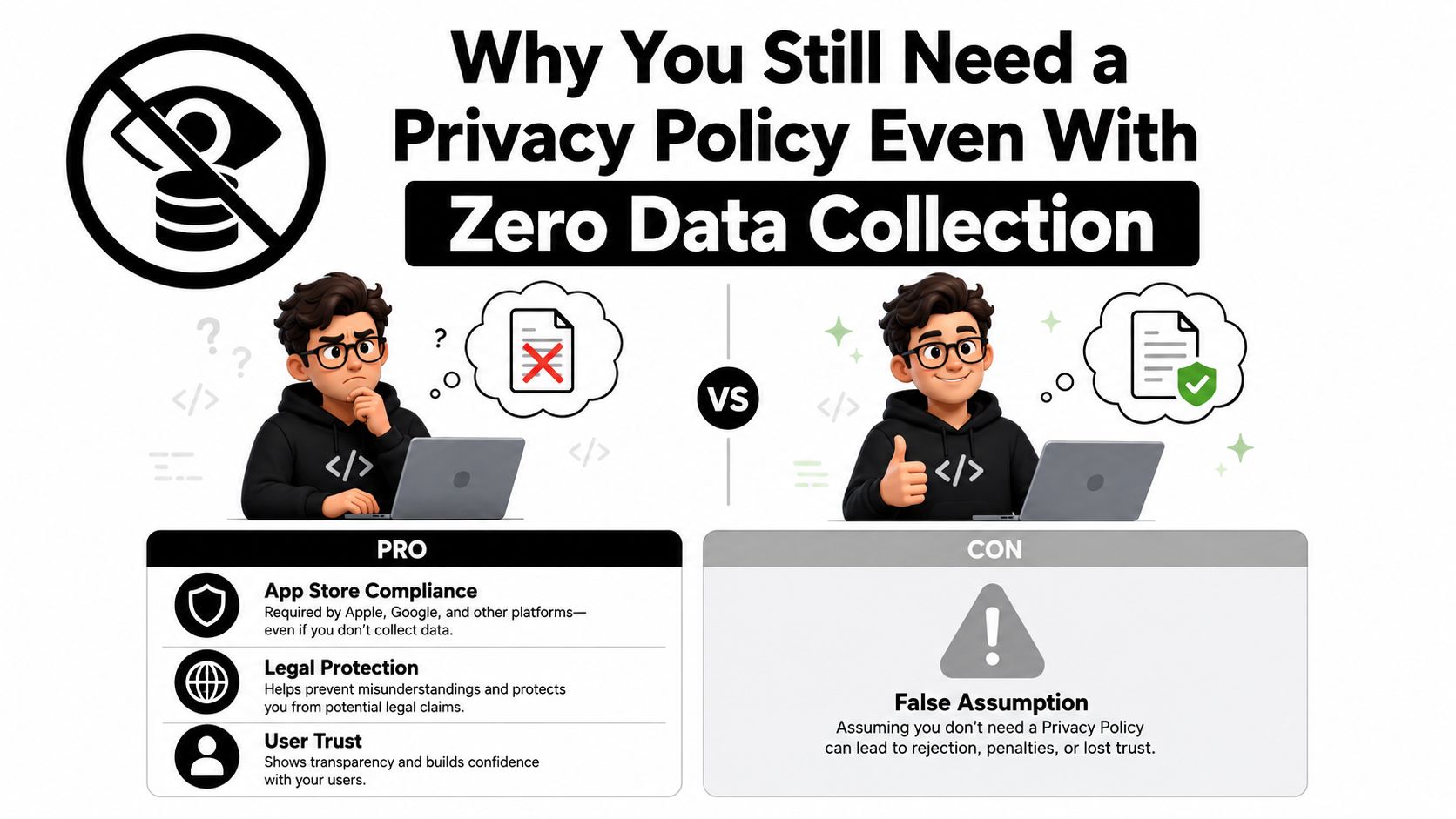
The common myth is simple, if the app collects nothing, it needs no privacy policy. That might sound reasonable from a pure legal-minimum standpoint, but it falls apart at submission time because Apple and Google both still require a public policy URL for app review and metadata alignment, even when the app itself is meant to be data-free. Apple's App Store privacy details page makes the URL requirement explicit and also says third-party code disclosures matter, while Google Play's guidance keeps the policy requirement in the submission workflow too (Apple App Store privacy details, Google Play user data disclosure help).
<a id="the-store-rule-beats-the-legal-minimum"></a>
The store rule beats the legal minimum
That distinction matters. A privacy law like GDPR may not force a policy for a zero-data app in every scenario, but store policy can still block launch because Apple and Google are enforcing their own disclosure systems. Legal minimums answer one question. Store review answers another. If you only optimize for the law, you can still get rejected by the platform that distributes the app.
Practical rule: write the policy for the reviewer first, then make sure it also satisfies the law where you operate.
For a no-data app, the policy is less about describing a complex data lifecycle and more about proving consistency. Reviewers want to see that you've thought through the bundle, the SDKs, and the store fields, not just your app source code. That's why a short, precise privacy policy often works better than a long template packed with generic clauses.
Apple's framework also makes one subtle point easy to miss, data processed only on device is not treated as “collected” for disclosure purposes, but that doesn't remove the policy-page requirement if the store still expects the URL. So the launch question isn't “Do I collect anything?” alone. It's “Can I prove that the app bundle, the disclosures, and the policy all say the same thing?”
<a id="auditing-your-app-before-you-draft-anything"></a>
Auditing Your App Before You Draft Anything
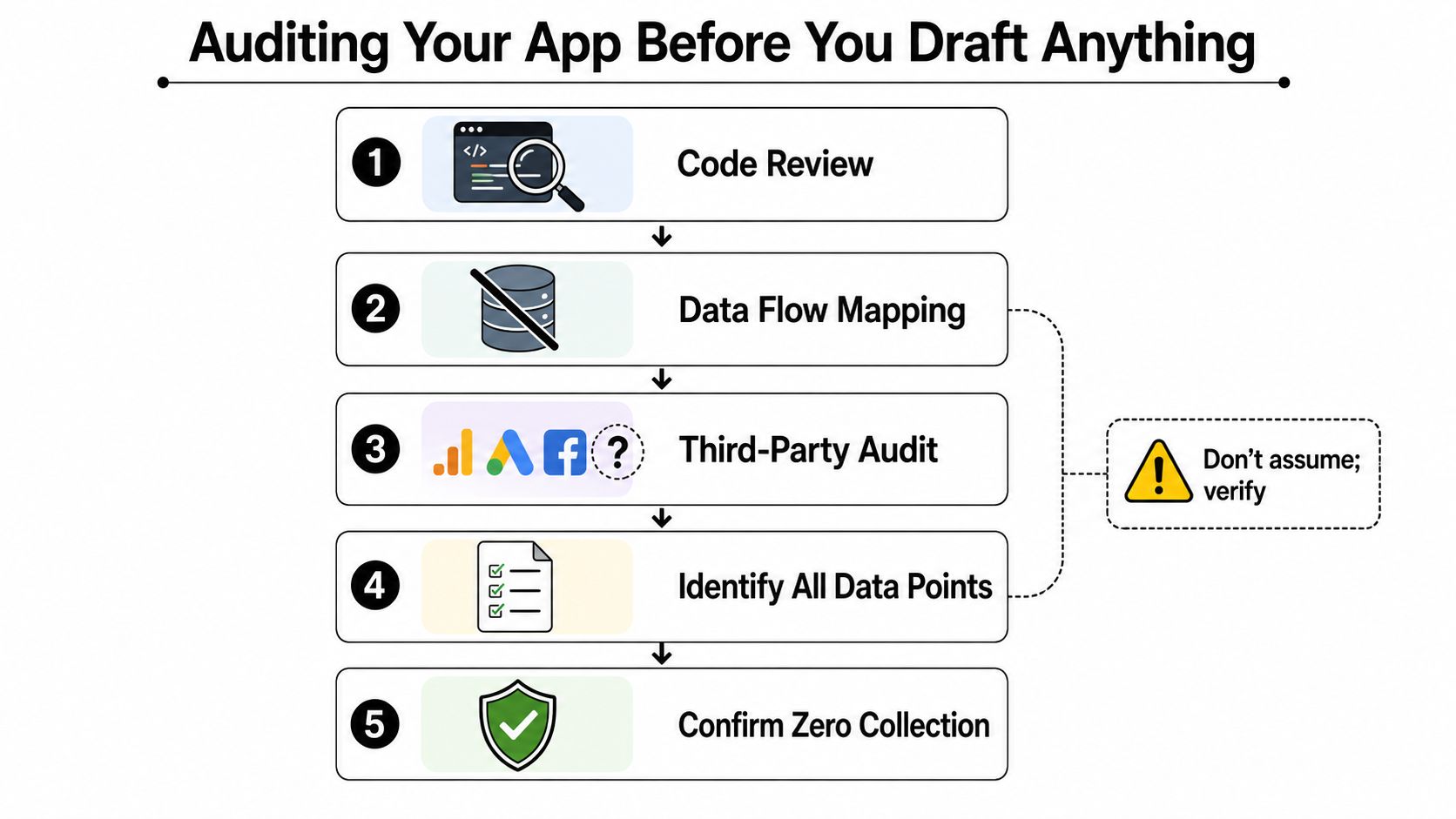
A privacy policy for app that does not collect data only works if the shipped app really behaves that way. The fastest mistake to make is writing from memory, because your memory won't catch an SDK someone added two weeks before release. Third-party frameworks can collect telemetry even when your own code does nothing at all, which is why audit first, draft second (Orbitkit audit workflow).
<a id="check-the-shipped-app-not-your-intent"></a>
Check the shipped app, not your intent
The audit sequence that holds up best in practice is blunt and mechanical:
- List every embedded framework in the archive. If it's in the app bundle, it counts.
- Inspect each
PrivacyInfo.xcprivacymanifest for iOS. That file often reveals disclosures your source review missed. - Verify there are no network calls or analytics, ads, or crash-reporting SDKs in the build.
- Confirm the App Store privacy questionnaire matches the final binary.
- Check the final policy language against the bundle and the store forms.
That order matters because the policy should describe the app you're shipping, not the app you hoped you were shipping. Crash reporters, analytics libraries, and ad SDKs are the usual surprise offenders, and they often show up in dependencies rather than app code. If the binary or a bundled SDK contradicts your policy, review risk goes up immediately.
Do not assume “no first-party collection” means “no collection.” That's the most common false conclusion on zero-data apps.
The same logic applies to store metadata. If App Store Connect says “Data Not Collected,” but the archive contains a telemetry SDK or an identifier flow, the mismatch is obvious to a reviewer. Google Play has the same weakness, a clean-looking policy won't save a build whose actual behavior suggests something else. Audit the binary first, then write the policy around verified facts.
<a id="drafting-the-no-data-privacy-policy-structure-and-wording"></a>
Drafting the No-Data Privacy Policy Structure and Wording
A strong no-data policy is short because it has nothing to hide. It still needs a real structure, though, because reviewers look for basic credibility signals, developer identity, contact details, clear data language, and a live URL that won't disappear after approval. A policy that rambles usually looks less trustworthy than one that says exactly what the app does and doesn't do.
<a id="keep-the-wording-narrow-and-testable"></a>
Keep the wording narrow and testable
The safest format is simple:
- Developer or company name. Identify who operates the app.
- Reachable contact email. Reviewers need a way to follow up.
- Explicit no-data statement. Say the app runs entirely on-device or otherwise collects, stores, and transmits no personal data.
- Public, durable URL. Host the policy somewhere that stays live for the life of the app.
That wording should be tight enough that a reviewer can compare it against the binary in one pass. A good sentence is, “The app does not collect, store, or transmit personal data.” If you do have a narrow exception, say it plainly, such as optional third-party services or a local-only feature that never leaves the device. Don't pad the document with generic legal boilerplate that suggests hidden processing.
The terms to avoid are the vague ones. “May collect,” “in certain cases,” and “as needed” invite questions unless you can explain them. If the app stays on-device, say that directly. If a feature is local-only, say that directly too.
Best practice: keep the policy narrower than your worst-case reviewer interpretation.
A no-data policy is not the place for broad future promises or marketing language. It should read like a factual operating statement, not a template assembled for every possible app category. When the policy, the actual app, and the store questionnaire line up, reviewers usually move faster because they don't have to guess what's happening behind the scenes.
<a id="app-store-and-google-play-requirements-for-zero-data-apps"></a>
App Store and Google Play Requirements for Zero-Data Apps
Apple and Google end up at the same practical standard. They both want a live policy URL, they both want the disclosure to match the app as shipped, and they both reject submissions when the written policy, the store form, and the binary tell different stories.
<a id="match-the-policy-the-form-and-the-bundle"></a>
Match the policy, the form, and the bundle
Apple is strict about disclosure because its privacy framework asks developers to account for third-party code inside the app bundle. A first-party build that never touches user data can still need disclosures if a bundled SDK processes information, and the App Privacy questionnaire has to describe the app that reviewers can install, not the codebase you planned on paper. Google Play follows the same logic through its submission flow and Data Safety requirements, so the policy has to match the form and the actual build.
| Platform | What reviewers expect | Common failure mode |
|---|---|---|
| Apple App Store | Public policy URL, App Privacy Details aligned with the app bundle | Claiming no data while bundled code adds disclosures |
| Google Play | Public policy URL, disclosure aligned with Data Safety form | Policy says no collection, but the form or SDKs suggest otherwise |
The practical takeaway is simple. A zero-data statement only helps if the compiled app supports it. If an SDK sends device identifiers, crash logs, or analytics events, the app is no longer a true no-data app in the reviewer's eyes, even if your own feature code never touches user data. That is the point where many teams fail, because they write to the product spec instead of the shipping binary.
A submission-ready package should read like one coherent set of files. The policy says no personal data, the store questionnaire says the same thing, and the shipped app does not contain hidden paths that contradict either one. When those three pieces line up, the submission looks deliberate instead of accidental.
<a id="common-pitfalls-that-get-no-data-policies-rejected"></a>
Common Pitfalls That Get No-Data Policies Rejected
Zero-data apps usually get rejected because the policy, the build, and the store disclosures tell different stories. Reviewers tend to find the mismatch quickly. A hidden data path in a bundled SDK, a policy URL that is unstable, or a disclosure screen that does not match the shipped binary is enough to send the submission back for another round.
<a id="the-hidden-paths-reviewers-look-for"></a>
The hidden paths reviewers look for
The first mistake is treating the app code as the whole story. Bundled SDKs, hosting layers, and store metadata can still create disclosure obligations, and a blanket “we collect nothing” statement becomes weak the moment a crash reporter, analytics library, or similar component is part of the build. A policy that leaves out third-party collection paths is the one most likely to be challenged.
The second mistake is URL reliability. A privacy policy has to stay publicly accessible, not just online on submission day. If the page moves, returns an error, or changes meaning after approval, users and reviewers can no longer verify what the app promised.
The third mistake is contradiction. If the policy says no data collection but the App Store or Google Play disclosures show a non-empty data path, the inconsistency is easy to spot. That happens often when the app includes device identifiers, telemetry, or an SDK that processes information in the background.
Keep the page live, keep the wording stable, and keep the disclosures synchronized.
A good stress test is boring, but it works. Open the policy URL in a fresh browser session, compare every sentence to the store fields, and check the shipped binary against both. If a sentence can be disproved by the archive, rewrite it or remove it. That habit catches most of the issues that send no-data apps back into review.
<a id="compliance-checklist-before-your-app-store-submission"></a>
Compliance Checklist Before Your App Store Submission
A clean submission starts with a checklist, not a rewrite at the last minute. For a privacy policy for app that does not collect data, the goal is to prove that the policy, the app, and the store forms all describe the same reality. Store review catches mismatches fast, and a no-data claim only holds if the shipped build, the public policy page, and the disclosure fields stay aligned.
<a id="a-final-pass-before-you-hit-submit"></a>
A final pass before you hit submit
Run this list before submission:
- Privacy policy URL is live and accessible. Test it in a clean browser.
- Developer name and contact email are visible. Reviewers need to know who owns the app.
- No-data language is explicit. Use plain wording like “the app does not collect, store, or transmit personal data.”
- Third-party SDKs are audited. Make sure nothing in the bundle creates undeclared collection.
- App Store privacy fields match the policy. The questionnaire and the document must agree.
- Google Play Data Safety matches the policy. Same rule, different console.
- The policy stays consistent across regions and builds. Don't let one release branch drift from another.
- The live URL still works on a clean device. If a reviewer can't open it, the policy might as well not exist.
That checklist is the difference between a clean launch and a stalled one. If your app collects no data, the strongest move is to state that plainly, prove it through the bundle audit, and keep every disclosure aligned from the policy page to the store form.
If you want a team that handles this exact launch gap, from privacy policy hosting to reviewer-ready App Store and Google Play submission assets, visit LetsDeployIt. They're built for React Native and Expo teams that need the policy, screenshots, metadata, and submission workflow to line up before review starts.